
Why is event automation more than just sending email invites?
Most companies treat their Event Marketing automation tools like a glorified email blaster. You send a few invites, a "last chance to register" blast, and maybe a "thanks for coming" email. That's it. You're leaving 90% of the value on the table. The real work—and the real revenue—happens on the trade show floor and in the immediate follow-up.
But that's where most strategies fall apart.
Moving beyond registration: The full event lead lifecycle
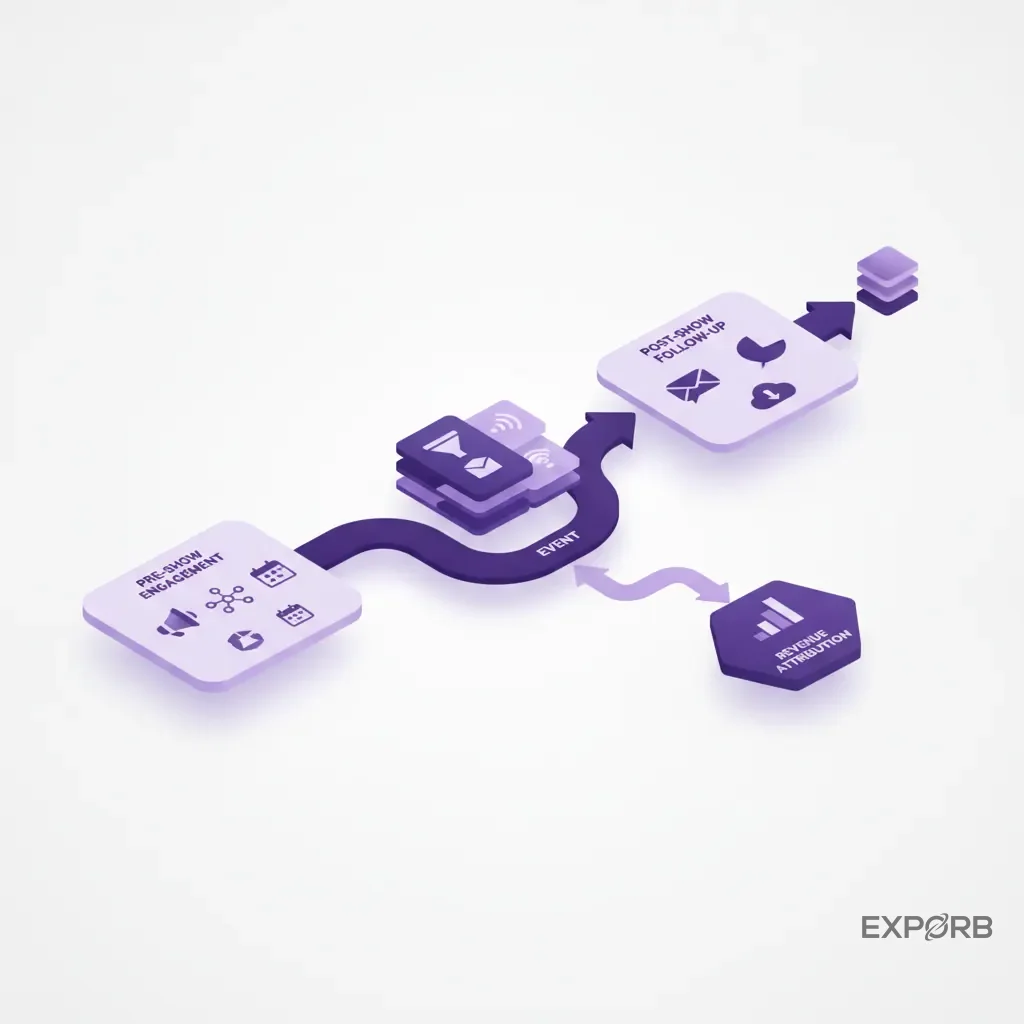
An effective event strategy isn't just about registration confirmation. It covers the entire lead lifecycle: from initial awareness and meeting scheduling to capturing in-booth conversations, instant qualification, and personalized, timely follow-up that converts leads into customers.
Think about it. The pre-show campaign is just the opening act. The main event is the conversation your sales team has with a prospect at the booth. That ten-minute discussion is where you uncover pain points, identify budget, and agree on next steps. If that context gets lost, the entire investment in the event is at risk. Your automation stack needs to support this whole journey, not just its first step.
The hidden costs of manual follow-up and forgotten conversations
What happens after the show? A week of chaos, usually. Your team returns with a fishbowl full of business cards, a stack of messy notes, and vague memories of who said what. Someone then has to manually type all that data into a spreadsheet. Then, someone else tries to decipher the scribbles to write a follow-up email.
By the time you send that generic "nice to meet you" email a week later, the lead's gone cold. They've forgotten you. They've already spoken to your competitor. According to a study by ActiveTrail, enterprise automation can cost over €1,000 per month, yet many companies waste that investment by failing at the most critical handover—from conversation to CRM. The cost isn't just wasted time on data entry; it's the lost pipeline from slow, impersonal follow-up.
Misconception debunked: Why your lead capture tech is more critical than your booth design
Here's the biggest mistake we see exhibitors make, year after year. They spend $50,000 on a stunning booth with flashy graphics and comfortable chairs, but they allocate $0 to a strategy for capturing what happens inside that booth.
That's completely backwards.
Your booth holds conversations. Those conversations are the asset. A beautiful booth might attract traffic, but it doesn't capture intent, qualify leads, or start the sales process. Your lead capture technology does all that. Investing in a tool that structures every conversation is more important than the color of your carpet. One solid lead with detailed notes is worth more than a hundred badge scans with no context.
How do you choose tools that actually connect to your revenue?
Choosing event technology isn't about finding the tool with the longest feature list. It's about solving your biggest revenue problem: turning expensive event appearances into a predictable sales pipeline. Forget the vanity metrics. You need technology that directly impacts your bottom line.
The four pillars of evaluation: Speed, data quality, workflow automation, and CRM integration
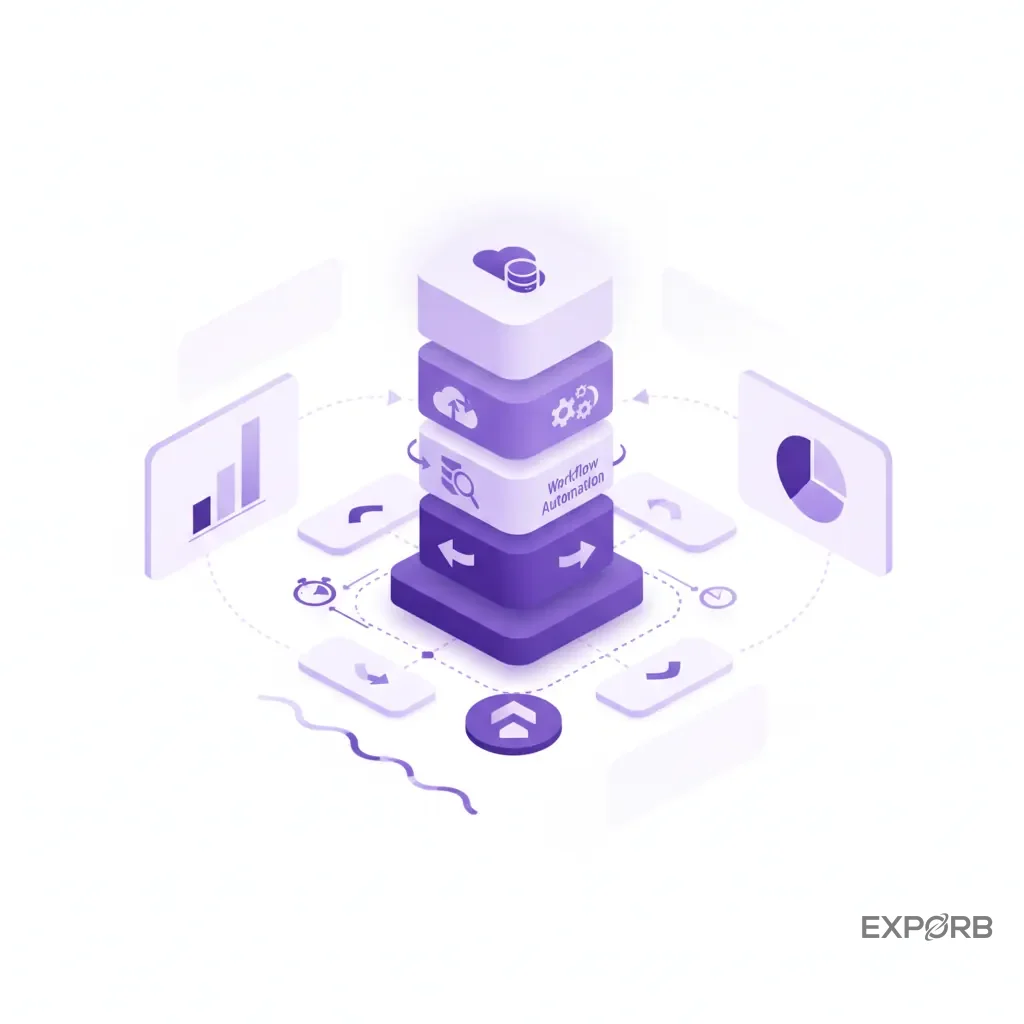
When you're evaluating tools, filter them through these four lenses. If a tool fails on any of these, it's going to create more problems than it solves.
- Speed: How fast can you get a lead from the booth into your CRM and into a follow-up sequence? Aim for minutes, not days.
- Data Quality: Does the tool capture just a name and email, or does it capture context? Think pain points, budget, purchase timeline, and specific next steps discussed. Garbage in, garbage out.
- Workflow Automation: Can the tool automate tedious tasks like data entry, lead scoring, and drafting personalized emails? Marketers using automation are 65% more productive. That's why.
- CRM Integration: How smoothly does the data flow into your system of record? A clunky CSV export that requires manual mapping and cleanup every time is a recipe for data silos and frustration. Your tool needs to speak your CRM's language.
Comparing top-tier platforms for trade show exhibitors
The market is crowded. You've got massive, all-in-one event management platforms that handle everything from ticketing to virtual sessions. Then there are specialized, best-of-breed tools that focus on doing one thing exceptionally well, like at-show lead capture.
The all-in-ones are powerful but can be complex and expensive. Specialized tools are often more agile, easier for a sales team to adopt on the floor, and solve the most immediate pain point—capturing high-quality leads. For most exhibitors, the optimal solution is a specialized capture tool that integrates cleanly with their existing CRM and marketing automation platform.
A feature comparison of leading event automation tools
Instead of listing dozens of brand names, let's compare the approaches you'll find. This helps you clarify what problem you're actually trying to solve.
Comparing different types of event lead capture technology.
A step-by-step guide to building your trade show automation stack
Building an effective automation stack isn't about buying a single piece of software. It's about connecting a few key tools to get data flowing smoothly from the first touchpoint to the final sale. Here's how to think about it in three stages.
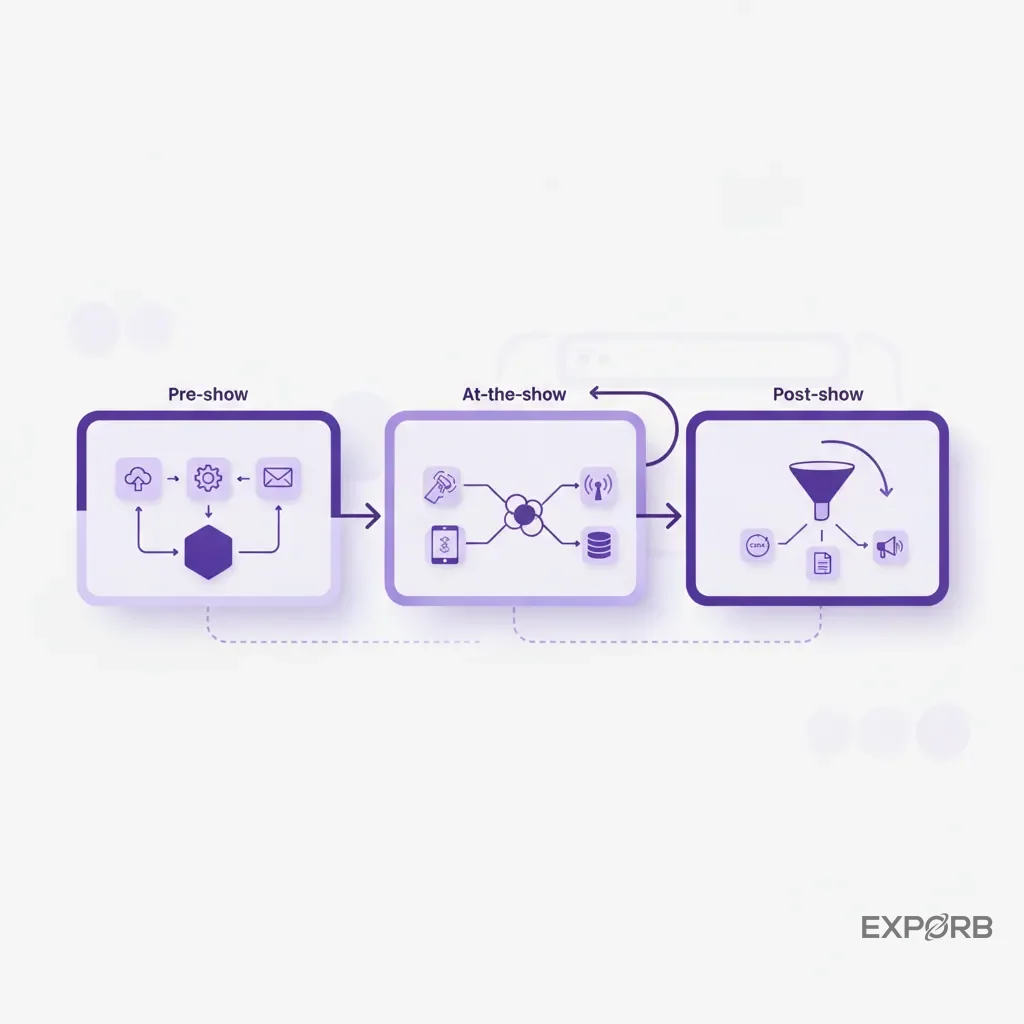
Pre-show: Segmenting invites and scheduling high-value meetings
This is your foundation. Before you even think about the booth, your marketing automation platform (like HubSpot or Marketo Engage) and your CRM are the stars.
- Segment Your Audience: Don't send a generic "visit our booth" email to your entire database. Create targeted lists: current customers, open opportunities, and high-value prospects. Tailor the messaging for each group.
- Automate Meeting Booking: Use a tool like Calendly or HubSpot Meetings embedded in your emails. Let key prospects book a dedicated time with your top account executive or a product expert at the booth. This turns a game of chance into a guaranteed high-value conversation.
- Set Your Goals: Define what a "good lead" looks like. Is it a specific job title? A company in a certain industry? An expressed need for your solution? Document these criteria in your CRM to prepare for at-show qualification.
At-the-show: Instant capture, AI qualification, and sales routing
The trade show floor is chaotic. The Wi-Fi is terrible. Your team is talking to hundreds of people. This is where manual processes die and your investment is won or lost. You need a dedicated trade show lead capture app.
The goal here is to arm your booth staff with a tool that works fast, captures rich context, and operates even when the internet doesn't. Your team should be able to scan a business card, record a quick voice note summarizing the conversation ("Needs pricing for the enterprise plan by Friday, decision-maker is the CTO"), and snap a photo of a whiteboard sketch. This all needs to happen in under 30 seconds while the prospect is still there.
This is where AI becomes more than a buzzword. Good tools can use the content of that voice note to automatically score the lead, flagging it as "hot" for immediate sales attention.
Post-show: Triggering personalized nurture sequences that convert
The race for follow-up starts the second the lead is captured. A week later is too late. Your stack should connect your at-show capture tool directly to your marketing automation platform.
Imagine this workflow:
- Your rep captures a lead and qualifies them as "hot" at the booth.
- This syncs to your CRM and automatically adds them to a "Hot Leads - [Event Name]" list.
- Your marketing automation tool immediately triggers a personalized follow-up sequence.
The first email shouldn't be generic. With the right tools, it can be drafted instantly, pulling in the specific pain points and next steps your rep captured in their notes. An AI-powered email follow-up can reference the actual conversation—"Great talking to you about solving your data silo problem before Q3"—making your outreach stand out from the dozens of other generic emails your prospect is receiving.
What solves the 'black hole' of trade show conversations?
You just spent $100,000 on a major trade show. Your team comes back excited, telling you they had "great conversations" and collected 200 leads. You ask a simple question: "Which ones are ready to buy?"
Silence.
This is the founder's dilemma. You have a pile of leads, but no visibility into the quality of the conversations. You don't know who was a tire-kicker and who was a CTO with a budget ready to sign. The context—the most valuable data from the entire event—is trapped in your reps' heads or on the back of a napkin. It's a black hole.
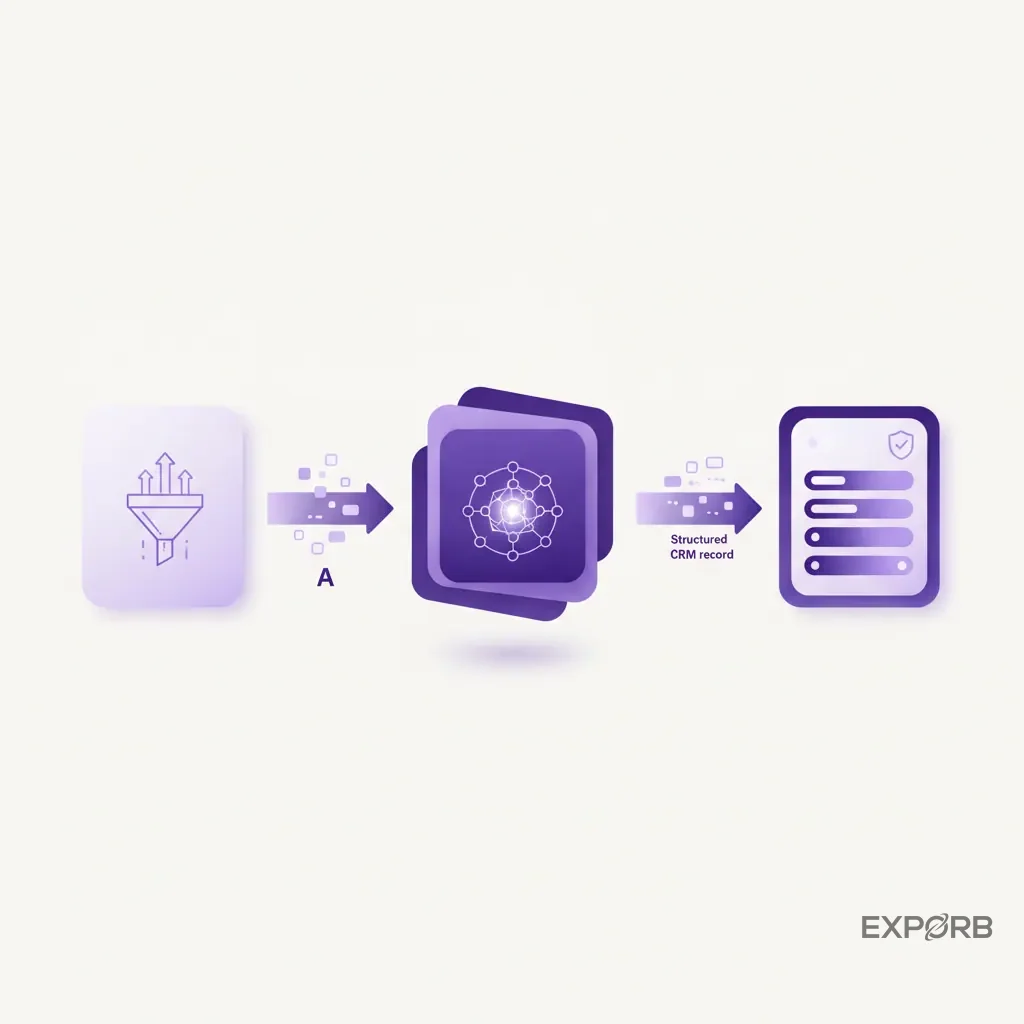
The founder's dilemma: 'What did my team actually learn at the booth?'
Your team doesn't intentionally hide information. But after three days of non-stop talking, details get fuzzy. They can't possibly remember the specifics of 100 different conversations. They remember the big ones, but the promising-but-subtle lead who visited on day one? That context is gone forever.
This forces you to treat all leads equally. Your BDRs waste weeks calling through a list of 200 names, 180 of whom are unqualified, just to find the 20 who matter. It's an incredible waste of resources, all because you didn't structure the critical data at the point of capture.
How AI-powered transcription and CRM sync create total visibility
This is the problem we built Exporb to solve. We believe that what's said at the booth is the most important piece of data you can collect. The solution is to make capturing it effortless.
Instead of relying on memory, your team uses their phone to record the conversation or a quick summary right after. AI transcribes these voice notes, analyzes the content for sentiment, pain points, and buying signals, and syncs it all to a central dashboard.
Suddenly, the black hole has a floodlight pointed at it. As a founder or sales leader, you can see a real-time feed of every conversation. You can see which reps are talking to the most qualified leads and which leads mentioned your top competitor. You have complete visibility.
Example in action: Capturing the 'why' behind every scan with Exporb
A rep scans a business card. Standard stuff. But then, she taps a button and records a 15-second voice memo: "This is Sarah from Acme Corp. She's frustrated with their current vendor's support response time. Needs a demo for her and her director, John, next week. Her main priority is a smoother onboarding process for her non-technical team members."
The Exporb platform transcribes this, tags the lead with "support issues" and "demo requested," and scores it as a high-priority lead. An AI-drafted email is ready to send, confirming the demo request and referencing the support pain point. The whole process takes less than a minute.
Now, compare that to a simple badge scan. Which lead is your sales team going to close? It's not even a fair fight.
Which tools excel at instant lead capture and qualification?
In the fast-paced environment of a trade show floor, your lead capture tool has one job: get accurate information into your system with as much context as possible, in as little time as possible. If it takes more than 30 seconds, your team won't use it, and you'll be back to a fishbowl of business cards.
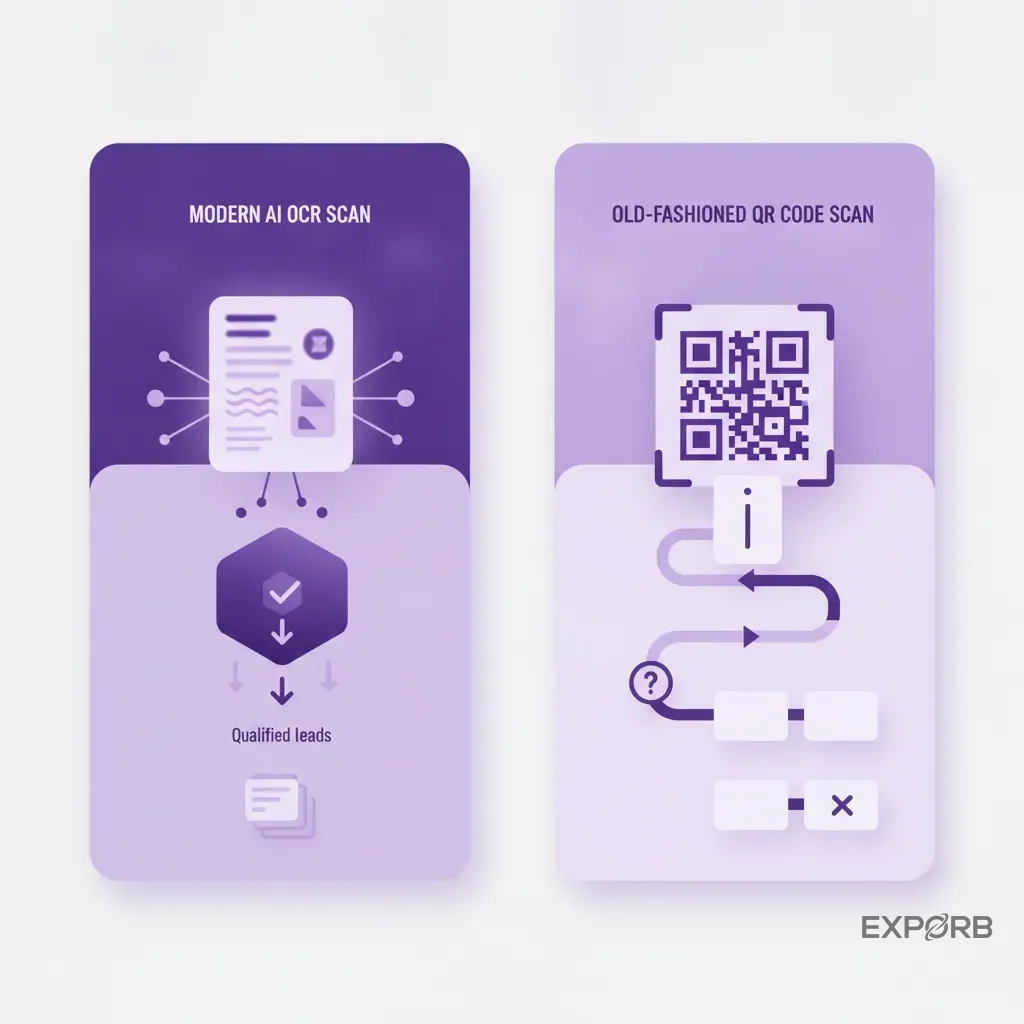
The 2026 standard: AI-powered OCR vs. traditional QR/badge scanners
For years, the standard was the clunky badge scanner rented from event organizers. You'd get a list of names and emails at the end of the show, often with missing data and no context. It was better than nothing, but barely.
The modern standard is AI-powered Optical Character Recognition (OCR) on your own device. Your reps can use their phone's camera to scan a business card from any angle, in any language. The AI accurately parses the name, title, company, email, and phone number into the correct fields. It's faster, more accurate, and you own the data instantly—no waiting for the organizer to send you a CSV file.
Badge scanners tell you who stopped by. A business card scan combined with a voice note tells you why they stopped by and what you should do next.
Platforms for on-the-spot lead scoring and segmentation
The best tools don't just capture data; they help you make sense of it in real time. Manually sorting through hundreds of leads after a show is a slow and error-prone process. Automation can do this for you on the fly.
Look for tools that allow you to set up custom qualification questions or tags. As your team captures a lead, they can quickly tag them based on pre-set criteria like product interest, budget, or purchase timeline. Even better are platforms that use AI to analyze conversation notes and automatically suggest a lead score. This lets your sales leaders see a live leaderboard of the hottest leads from the event, allowing for immediate intervention or follow-up from a senior team member.
Managing consent and privacy in a fast-paced environment
As you capture more detailed information, especially with voice notes, consent becomes important. While business conversations in a public place like a trade show booth generally don't have the same privacy expectations as a private call, transparency is key.
Frame it correctly with your team and your prospects. This isn't surveillance; it's advanced note-taking to ensure nothing gets missed. A simple, "Do you mind if I record a few notes so I don't forget any of the important details we discussed?" is usually all it takes. This positions you as a diligent and organized partner, not someone who's spying. Ensure your chosen tool has clear privacy policies and data security measures in place.
Integrating your event stack for a unified customer view
Your event lead capture app is powerful, but it's not supposed to live on an island. Its ultimate purpose is to feed clean, context-rich data into your company's central nervous system—your CRM. Without a smooth integration, you're just creating another data silo that someone has to manage manually.
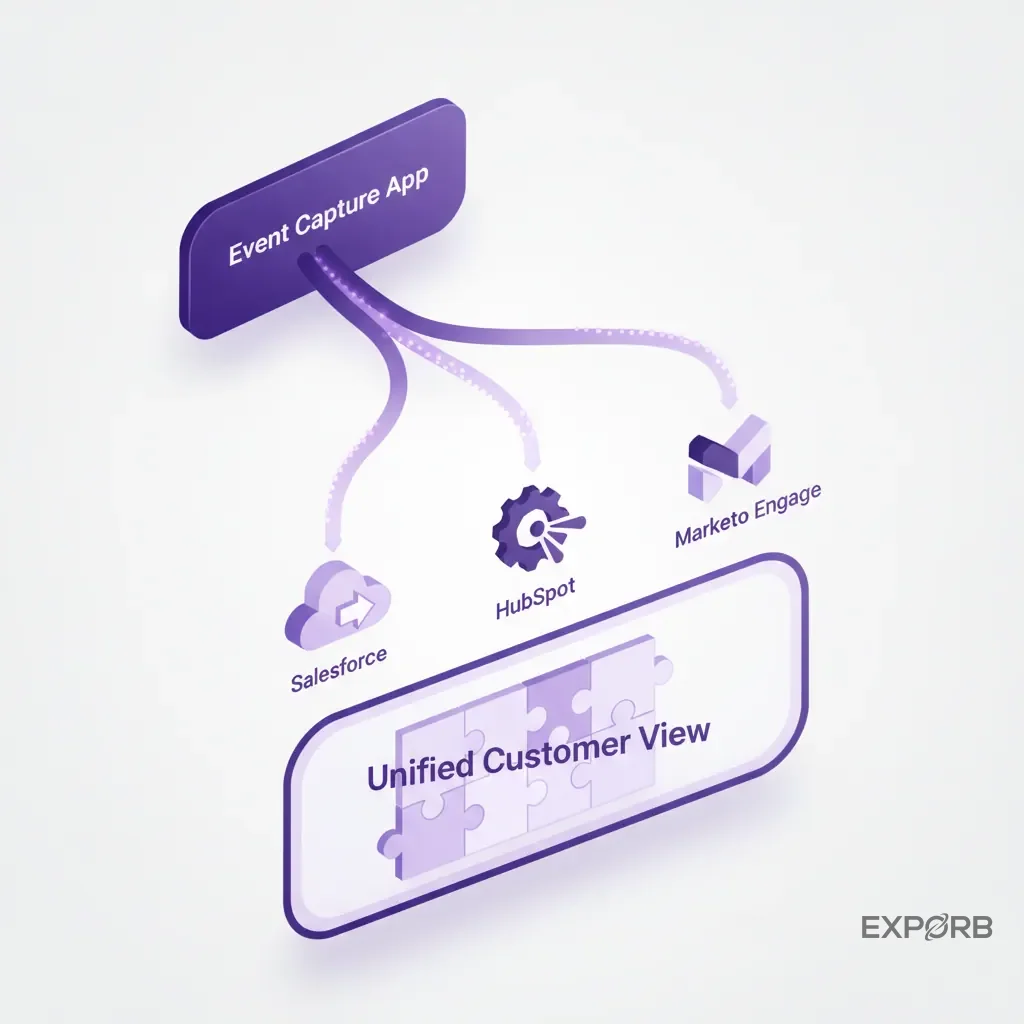
Connecting your event capture app, CRM, and marketing automation platform
The ideal data flow is automated and instantaneous. A lead captured at the booth should appear in your CRM within minutes, not days. This requires a direct, API-based integration or, at a minimum, a well-structured export your CRM can easily ingest.
This connection unlocks advanced automation. When your event app can update a contact record in Salesforce and simultaneously add that contact to a specific campaign in HubSpot, you've built a true revenue engine. The manual "data entry week" after a trade show should become a thing of the past. If you're still exporting CSVs and spending hours on VLOOKUP, your stack is broken.
Powerful integration workflows for Salesforce, HubSpot, and Marketo Engage
Think about what's possible when your systems are connected. You can build workflows that:
- Create a new Lead or Contact in Salesforce the moment a card is scanned.
- Log a new Task for the BDR assigned to that territory, with the conversation notes included in the description.
- Add the contact to a specific list in HubSpot for a post-event nurture sequence.
- Update a field on the contact record to attribute them to that specific trade show.
A solid CRM export or integration feature is non-negotiable. It's the bridge between event activity and measurable revenue.
Avoiding data silos: The key to accurate event attribution
Why is this so important? Attribution. If your event leads live in a separate spreadsheet, how can you possibly know if the $100k you spent on the show generated any real pipeline?
When a lead is captured and synced correctly, you can track its entire journey. Six months later, when that lead becomes a "Closed-Won" opportunity in Salesforce, the record will clearly show that the original source was your booth at "SaaStr 2026." This is how you prove the value of your event program. Without that clean data trail, the events team is just a cost center with no demonstrable ROI.
How can automation improve the attendee and exhibitor experience?
Good automation isn't just about efficiency for your team; it's about creating a better, more personal experience for the people you meet. Nobody likes feeling like just another badge scan. Technology, when used thoughtfully, can make high-volume interactions feel surprisingly human.
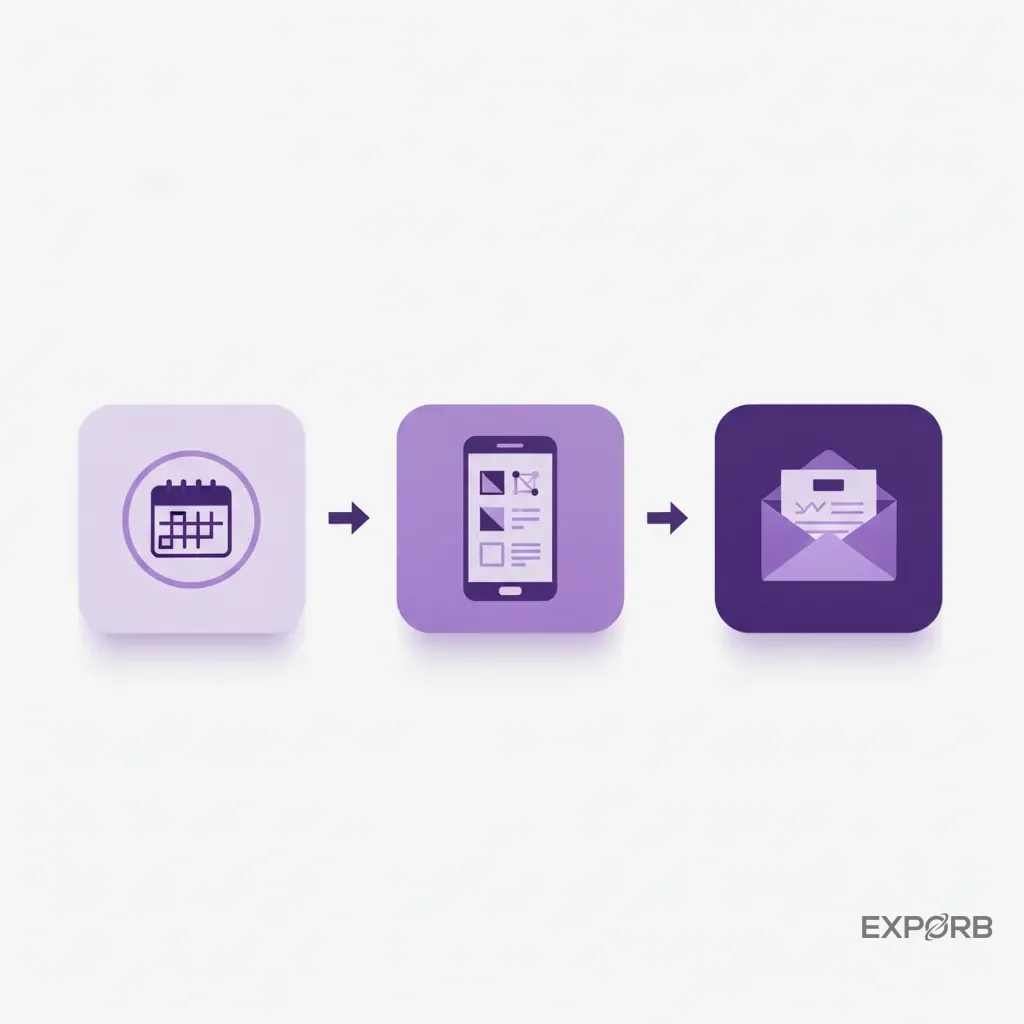
Personalized pre-show communication and meeting booking
Automation allows you to move beyond generic email blasts. By connecting your registration tool to your CRM, you can send highly relevant communications. For example, you can send a special invitation for a VIP dinner to all existing customers who've registered.
You can also send targeted emails to your top prospects with a direct link to book a meeting with your best sales rep. This respects their time and ensures they talk to the right person, rather than waiting in line at a busy booth.
Real-time information and networking tools during the event
For the exhibitor, the experience is about focus. Instead of fumbling with a pen and paper, your team can be fully present in the conversation, knowing that a quick tap and a voice note will capture everything they need. This leads to better conversations. An app that works smoothly offline is critical here, as spotty convention center Wi-Fi can bring a cloud-only tool to its knees.
For the attendee, a smooth process shows professionalism. When they see you efficiently capturing their details and confirming the next steps right there, it builds confidence that you're an organized company to do business with.
Post-event follow-up that feels personal, not robotic
This is where automation can truly shine or spectacularly fail. A bad automated follow-up is a generic, soulless email that starts with "Dear [First_Name]," and screams "I am a robot."
A great automated follow-up, however, feels like it was written by the person they just spoke to. This is only possible if your capture tool grabs the specific context of the conversation. An AI-assisted email that says, "John, it was great discussing how we can help you with your inventory management challenges. I've attached that case study I mentioned about retail logistics," is infinitely more effective. It shows you listened. It continues the conversation, and it's the kind of personal touch that turns a cold lead into a warm opportunity.
Measuring what matters: From booth traffic to closed-won deals
For too long, event success has been measured by vanity metrics: How many people visited the booth? How many badges did we scan? How many t-shirts did we give away? These numbers feel good, but they don't pay the bills.
If you can't connect your event spending to pipeline and revenue, you're flying blind. The right event marketing automation tools help you shift from measuring activity to measuring impact.
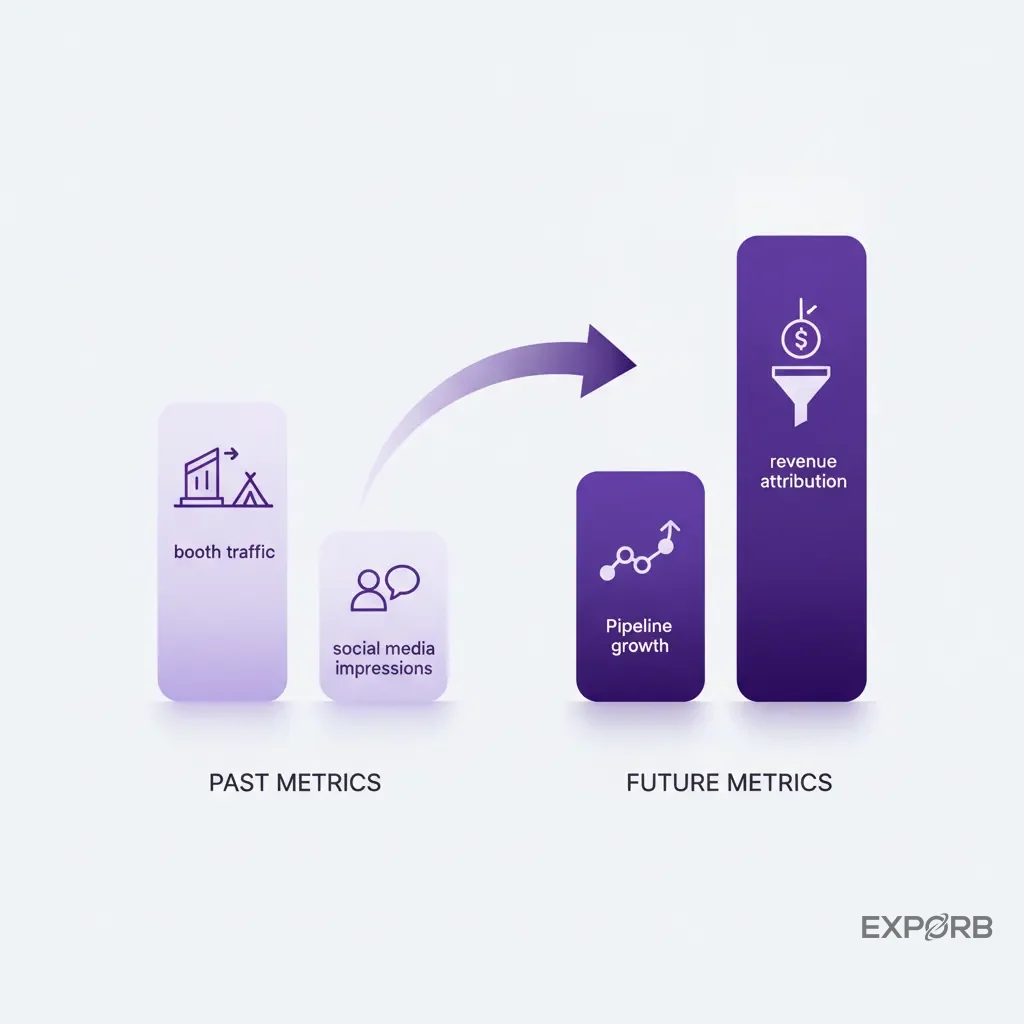
Shifting from vanity metrics to revenue attribution
The only metric that matters is Event-Sourced ROI. For every dollar you spend on an event, how many dollars in pipeline and closed-won revenue did you generate? Answering this question isn't possible without a clean, automated flow of data from the booth to the CRM.
When every lead is tagged with its source event, and the notes from the conversation are logged in the CRM, you can finally build accurate reports. You can see which events produce the best leads, which reps are most effective at the booth, and how long it takes for an event lead to convert into a customer.
Building dashboards that connect event activity directly to sales pipeline
Your CRM should be your single source of truth. Work with your sales ops team to build a dedicated event performance dashboard. It should track:
- Leads Captured per Event: The raw number of new contacts made.
- Marketing Qualified Leads (MQLs) per Event: How many of those leads met your basic qualification criteria.
- Sales Accepted Leads (SALs) per Event: How many MQLs the sales team accepted to actively work.
- Pipeline Generated per Event: The total dollar value of all opportunities created from that event's leads.
- Closed-Won Revenue per Event: The final, undeniable proof of ROI.
According to research cited by HubSpot, businesses can save 20% to 30% in marketing costs by using automation effectively. This comes from focusing efforts on what works and cutting what doesn't—which is only possible with clear attribution.
The most important event marketing KPIs for 2026
As you move forward, focus your team on these four key performance indicators. They tell the complete story of your event program's health.
- Cost Per Lead: Total event cost divided by the number of qualified leads. This tells you how efficiently you're acquiring new prospects.
- Lead-to-Opportunity Conversion Rate: The percentage of leads that turn into a real sales opportunity. This measures lead quality.
- Event-Sourced Pipeline: The total value of sales opportunities generated from a specific event. This measures the event's impact on future revenue.
- Event-Sourced Revenue: The total value of deals closed that originated from an event. This is your ultimate ROI metric.
What does the future of event automation look like?
The tools and strategies we've discussed are the standard for high-performing teams today. But the technology is moving fast, driven largely by advancements in AI. Looking ahead, event automation will become even more intelligent, predictive, and personalized. Staying ahead of these trends will be a major competitive advantage.
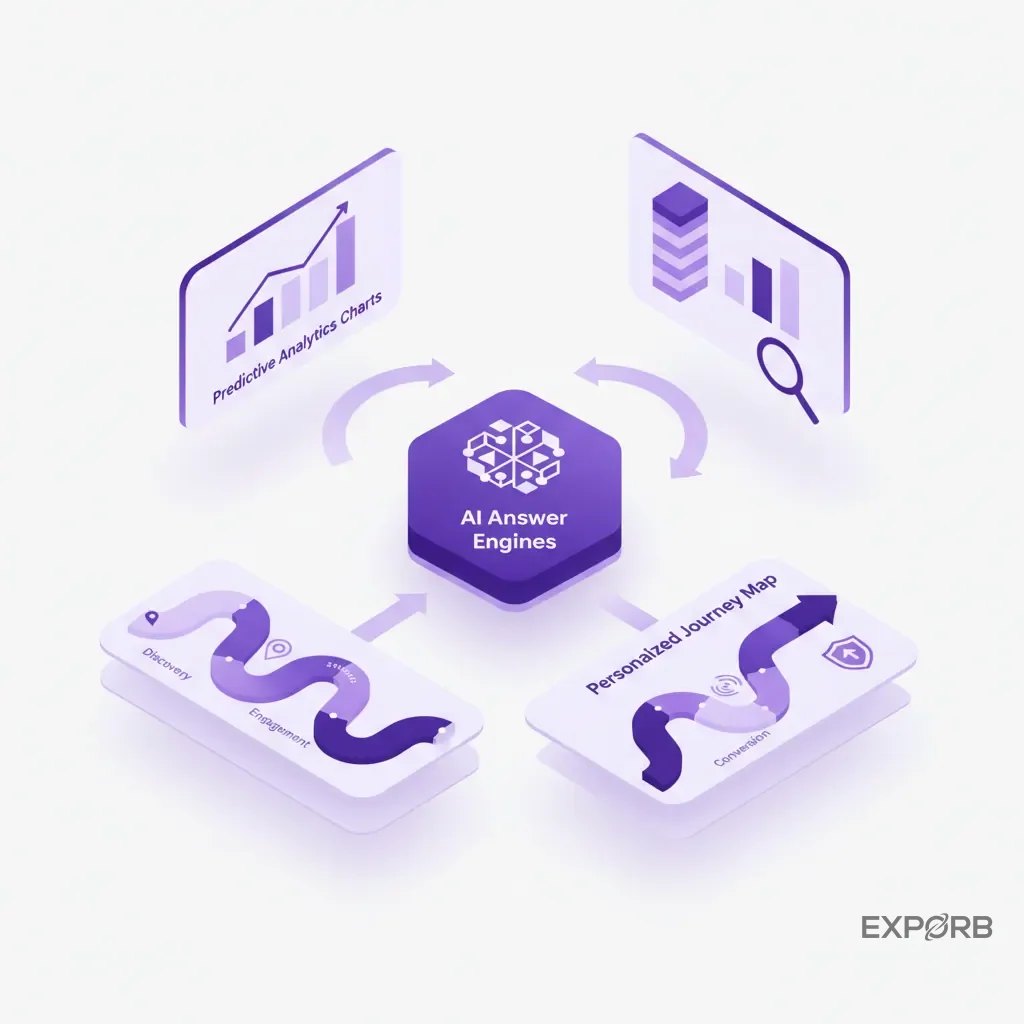
AI answer engines and their impact on event discovery and exhibitor visibility
The way attendees find information is changing. Instead of just searching for "marketing automation conference," they'll ask an AI, "Which exhibitors at INBOUND 2026 can solve my lead attribution problem and integrate with Salesforce?" This is the rise of Answer Engine Optimization (AEO).
For exhibitors, this means the quality of your digital content about your event presence—your pre-show blogs, your session descriptions, your exhibitor profile—is more important than ever. Your automation tools will need to help you structure this data so AI engines can easily find it and recommend your booth as the answer to an attendee's problem.
Predictive analytics for booth staffing and meeting schedules
Why guess how many staff members you need at the booth? In the near future, event platforms will use predictive analytics to help you make data-driven decisions. By analyzing historical data from similar events, attendee registration data, and session schedules, these tools will predict booth traffic patterns throughout the day.
This allows you to schedule your top sales engineers for demos during peak hours and ensure you have enough staff to handle the lunchtime rush. It turns staffing from a gut feeling into a science.
The rise of hyper-personalized, hybrid event journeys
The line between physical and digital events will continue to blur. A prospect's journey might start with them watching a virtual keynote from their office, then prompt them to book an in-person meeting at your booth via the event app.
After the conversation at your booth, the follow-up won't just be an email. It could be an automated invitation to a personalized digital content hub containing the specific resources you discussed. Your automation stack will need to manage this smooth flow between digital and physical touchpoints, creating a single, cohesive customer journey. Event technology won't just manage one event, but orchestrate a continuous, personalized experience across multiple channels.
How will you build a revenue-focused event strategy for 2026?
We've covered a lot of ground—from the foundational flaws in most event strategies to the future of AI-driven personalization. Now it's time to put it into practice. A high-ROI event program doesn't happen by accident. It's the result of a deliberate strategy and the right technology stack.
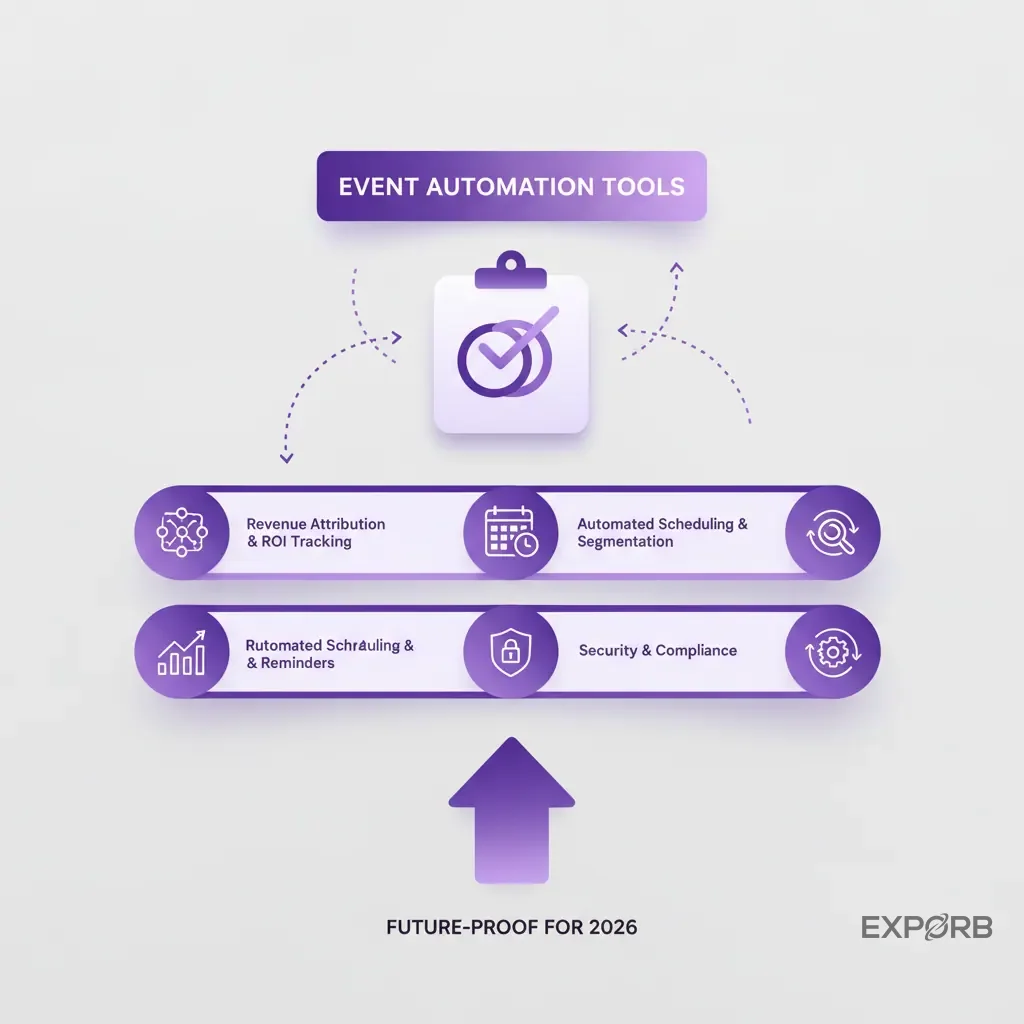
Action plan: Auditing your current event technology stack
Before you buy any new tools, take stock of what you have and where the biggest gaps are. Ask yourself and your team these questions:
- Data Entry: How long does it take for a lead from an event to get into our CRM? Is it a manual or automated process?
- Data Quality: What information are we capturing at the booth? Just contact info, or are we capturing conversation context, pain points, and next steps?
- Follow-Up Speed: What is our average time to first follow-up after an event? Is it hours, days, or weeks?
- Attribution: Can I confidently report on the pipeline and revenue generated from our last trade show?
Your answers will point directly to the weakest link in your chain. That's the problem you need to solve first.
Checklist: Key features to demand from your next automation tool
When you're ready to evaluate new event marketing automation tools, don't get distracted by shiny objects. Focus on the core capabilities that drive revenue. Your checklist should include:
- Offline Capability: Does the app work flawlessly when the convention center Wi-Fi inevitably fails?
- AI-Powered OCR: Can it scan any business card instantly and accurately?
- Voice & Photo Notes: Does it allow your team to capture rich context beyond text fields?
- Customizable Qualification: Can you tailor the fields and tags to match your sales process?
- Real-Time Team Sync: Can your whole team see who is talking to whom, preventing duplicate efforts?
- Automated CRM Sync/Export: Does it connect smoothly to your CRM without hours of manual data cleanup?
- AI-Assisted Follow-Up: Does it help your team send faster, more personal follow-up emails?
Your path to achieving measurable Event ROI this year
Stop thinking about events as a marketing expense. Start treating them as a revenue-generating program.
The shift begins when you stop prioritizing the color of your booth carpet and start prioritizing the quality of the data you capture inside it. Arm your team with tools that make it easy to capture what matters. Connect that data directly to your CRM. And measure everything.
When you can draw a straight line from a conversation at a booth to a closed-won deal in your pipeline, you've cracked the code. That's how you build an event strategy that drives predictable growth, not just busywork.