

Why are most Trade Show Leads still failing in 2026?
You spend $50,000 on a booth, another $20,000 on travel and expenses, and countless hours training your team. You come back with a fishbowl full of business cards, but the follow-up falls flat. This isn't a new problem. It’s an expensive one that modern AI lead capture is designed to solve. The core issue is a basic misunderstanding of what a "lead" actually is. It isn't just contact info; it's a conversation, a problem, and a potential solution. Without that context, your follow-up is dead on arrival.
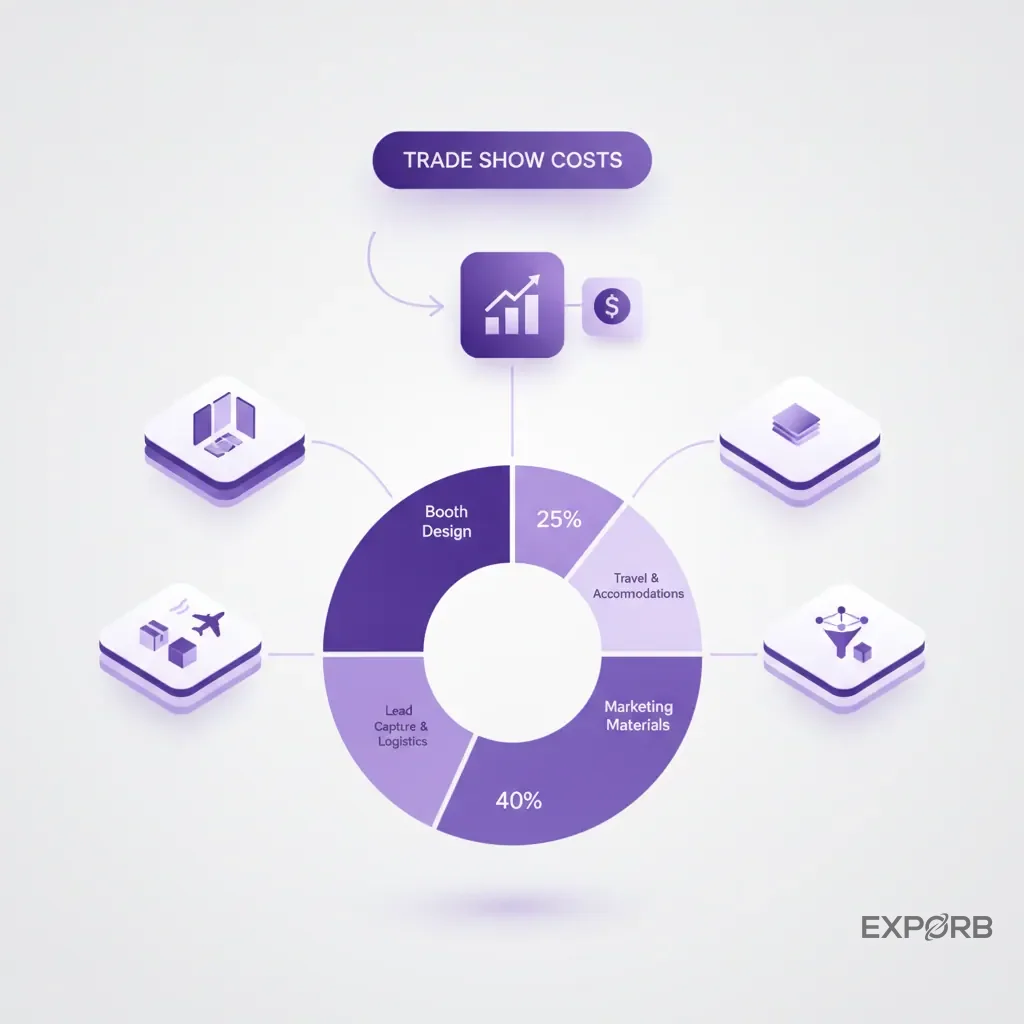
The $800 lead: Unpacking the true cost of event participation
Let's be brutally honest about the numbers. The Center for Exhibition Industry Research (CEIR) consistently shows that identifying a potential customer at a trade show costs significantly less than in the field, according to their Cost-Effectiveness of Exhibitions Report. But that's just to identify them. When you factor in all your expenses—booth space, design, shipping, travel, hotels, team salaries—the cost per meaningful conversation skyrockets. For many B2B companies, a single qualified lead from a major trade show can cost upwards of $800.
What happens to that $800 investment? Too often, someone staples it to a business card, transcribes it with a typo into a spreadsheet, and it loses all value before it even reaches your CRM. You didn't just lose a contact; you burned a massive pile of cash. The problem isn't the event itself. It's the broken process for capturing the value exchanged during the event. You pay for conversations but only keep the contact information. It's like buying a car and only keeping the keys.
Beyond the badge scan: Where traditional lead retrieval falls short
Badge scanners were a step up from the fishbowl. They promised efficiency—a quick beep and you've got the data. But what data do you actually get? Name, title, company, email. You could find that same information on LinkedIn in about ten seconds.
What the badge scan completely misses is the "why."
- Why did they stop at your booth?
- What specific pain point did they mention?
- Did they talk about budget or timeline?
- Who are the other decision-makers involved?
- What was the agreed-upon next step?
This is the information that turns a cold contact into a warm lead. Traditional lead retrieval tools don't have a mechanism for capturing this conversational context. Your booth staff scribbles notes on the back of a business card or tries to type into a clunky notes field while another prospect waits. The context gets lost, forgotten, or misinterpreted. You're left with a list of names, but you've lost the story behind each one.
The 72-hour rule: How delayed follow-up kills conversion potential
How quickly do you follow up after a show? A few days? A week? Research from Rockbird Media suggests that even waiting 72 hours pushes your luck. For the hottest leads, your chance of conversion drops dramatically. In fact, a study highlighted by Vendasta shows that your chance of qualifying a lead decreases by 80% if you wait longer than five minutes.
Think about it from the attendee's perspective. They've just spent three days meeting hundreds of vendors and absorbing a firehose of information. By the time they're back in the office, the details of their conversation with you are fuzzy at best. A generic "Nice to meet you at the show" email a week later does nothing to jog their memory. It gets deleted.
The delay isn't because your team is lazy. It's because your process is broken. It takes days to collect all the business cards, decipher handwritten notes, de-duplicate badge scans, and manually upload everything to your CRM. By the time you're ready to act, the opportunity is gone. The lead has gone cold.
What is AI lead capture for trade shows, really?
Many people mistakenly believe AI lead capture is just a faster way to scan business cards. In reality, it changes how we value and process event interactions. It's not about replacing human interaction; it's about making it better. AI lead capture for events uses artificial intelligence to automatically capture, structure, and analyze the rich, unstructured data from in-person conversations. It turns fleeting interactions into usable sales intelligence.
It's a shift from data entry to data intelligence. Your team isn't glorified transcriptionists. They can focus on the conversation, knowing that the system captures the key details for them.
Moving from data entry to data intelligence
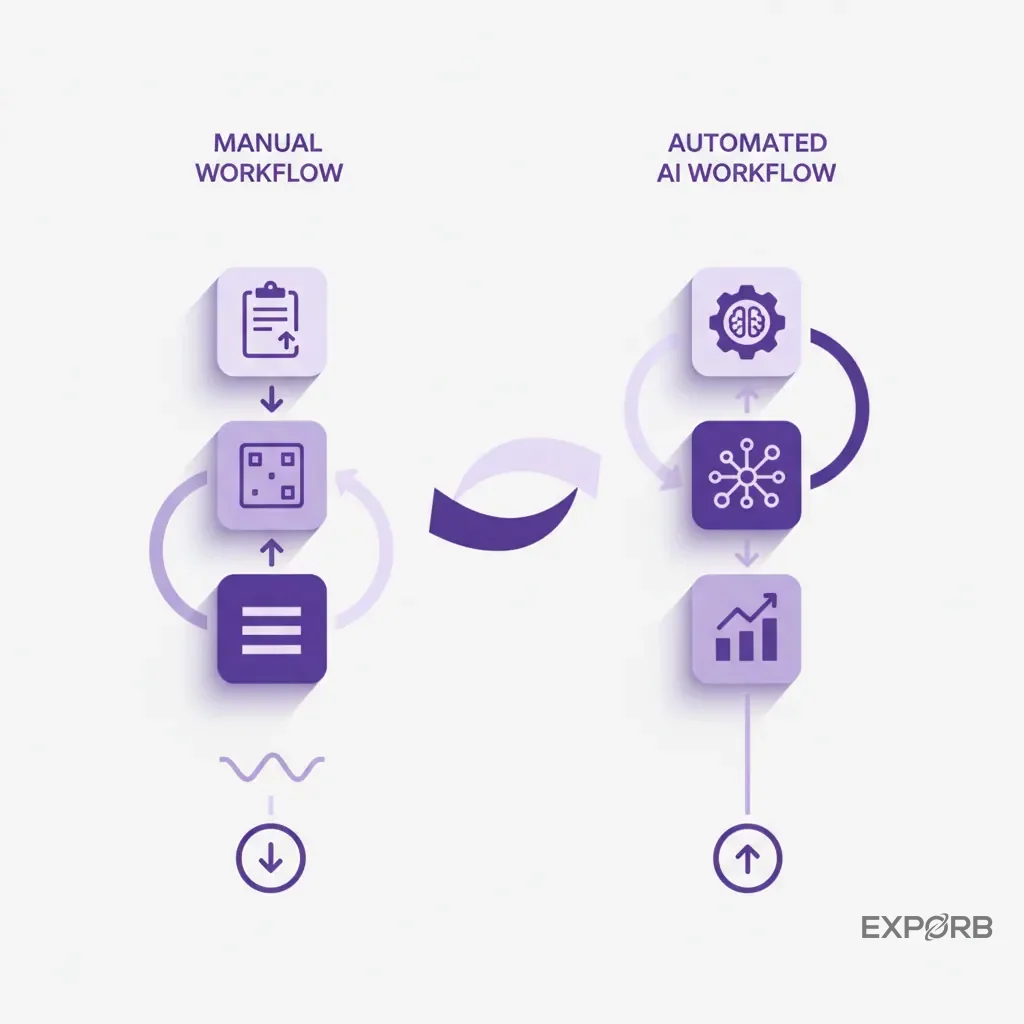
The old way is pure data entry. You scan a badge, get a name. You grab a business card, type the info. You jot down a note, hoping you can read it later. It's a manual, error-prone process that creates a week-long data cleanup project for someone back at the office.
The new way is data intelligence. Your team has a conversation. They might snap a picture of a business card, record a quick voice note summarizing the discussion, or take a photo of a whiteboard sketch. The AI then gets to work:
- It transcribes the voice note into searchable text.
- It accurately pulls all data from the business card, no matter the language or layout.
- It analyzes the conversation for sentiment, key topics, and action items.
- It enriches the contact with company data and social profiles.
- It scores the lead based on the discussion's content.
Suddenly, you don't just have a list of names. You have a database of conversations, complete with context and intent. That's the difference.
How AI captures conversational context, not just contact info
This is the heart of the matter. A badge scanner gives you a "who." An AI-powered system gives you the "who, what, when, where, and why." Imagine your sales rep, Jane, is talking to a prospect named Sarah. Sarah mentions they're unhappy with their current vendor, their contract is up in six months, and they need a solution that integrates with Salesforce.
In the old model, Jane would try to scribble "Salesforce, 6 mos, unhappy" on the back of Sarah's business card. Good luck deciphering that later.
In the new model, Jane finishes the chat and records a 15-second voice note: "Sarah from Acme Corp is looking to replace their current provider. Key pain point is lack of Salesforce integration. Their contract is up in Q4, and the decision-maker is her boss, John Smith. I promised to send over our integration case study by tomorrow."
The AI transcribes this instantly. Now, when the follow-up happens, it isn't generic. It's hyper-specific. The system can even use this context to draft a personalized email follow-up on the spot, referencing the Salesforce integration and the promise to send a case study. That's how you capture context.
The four pillars of a modern AI lead capture system
Not all tools are created equal. A true AI system for events is built on four key pillars:
- Multi-modal Capture: It must go beyond text. It needs to handle voice notes, business card scans, photos, and manual notes fluidly. The real world is messy; your capture tool needs to be flexible.
- AI-Powered Transcription & Analysis: It's not enough to just store a voice recording. The system must transcribe it accurately and then analyze the text to extract key entities like names, companies, pain points, and next steps.
- Automated Enrichment: Once you capture a contact, the system should automatically pull in publicly available data—like company size, industry, and the contact's LinkedIn profile—to give you a fuller picture without manual research.
- Intelligent Scoring & Prioritization: The AI should score leads based on the content of the conversation. A lead who mentioned "budget approved" and "timeline is Q3" is automatically flagged as higher priority than someone who was "just looking." This helps your team focus on the hottest opportunities first.
A system without these four pillars isn't really an AI system—it's just a digital notepad.
Related: The Complete Trade Show Lead Capture Guide
How does AI transform the entire exhibitor workflow?
Adopting an AI-powered approach changes how you plan, execute, and follow up on events. It's not just about giving your booth staff a new app. It injects intelligence and automation into every stage, turning a chaotic, manual process into a simplified, data-driven operation.
Pre-show: Using AI for attendee targeting and meeting orchestration
Your event strategy shouldn't start when the doors open. Long before the show, AI tools can help you identify your ideal prospects from the pre-registered attendee list. By analyzing titles, companies, and industries, these platforms can predict who is most likely to be a good fit for your product.
This allows you to move from a passive "hope they stop by" strategy to a proactive outreach plan. You can schedule key meetings in advance, ensuring you get face-time with high-value targets. Some platforms can even help you optimize your booth staffing schedule based on predicted peak traffic times for your target demographics. You arrive at the show with a plan, not just a booth.
At the booth: Transcribing conversations and qualifying leads in real-time
This is where the magic happens. The trade show floor is loud, chaotic, and fast-paced. Your team doesn't have time for manual data entry. With an AI capture tool, they don't have to.
The workflow becomes simple and repeatable:
- Engage: Have a natural, human conversation. Don't stare at a screen.
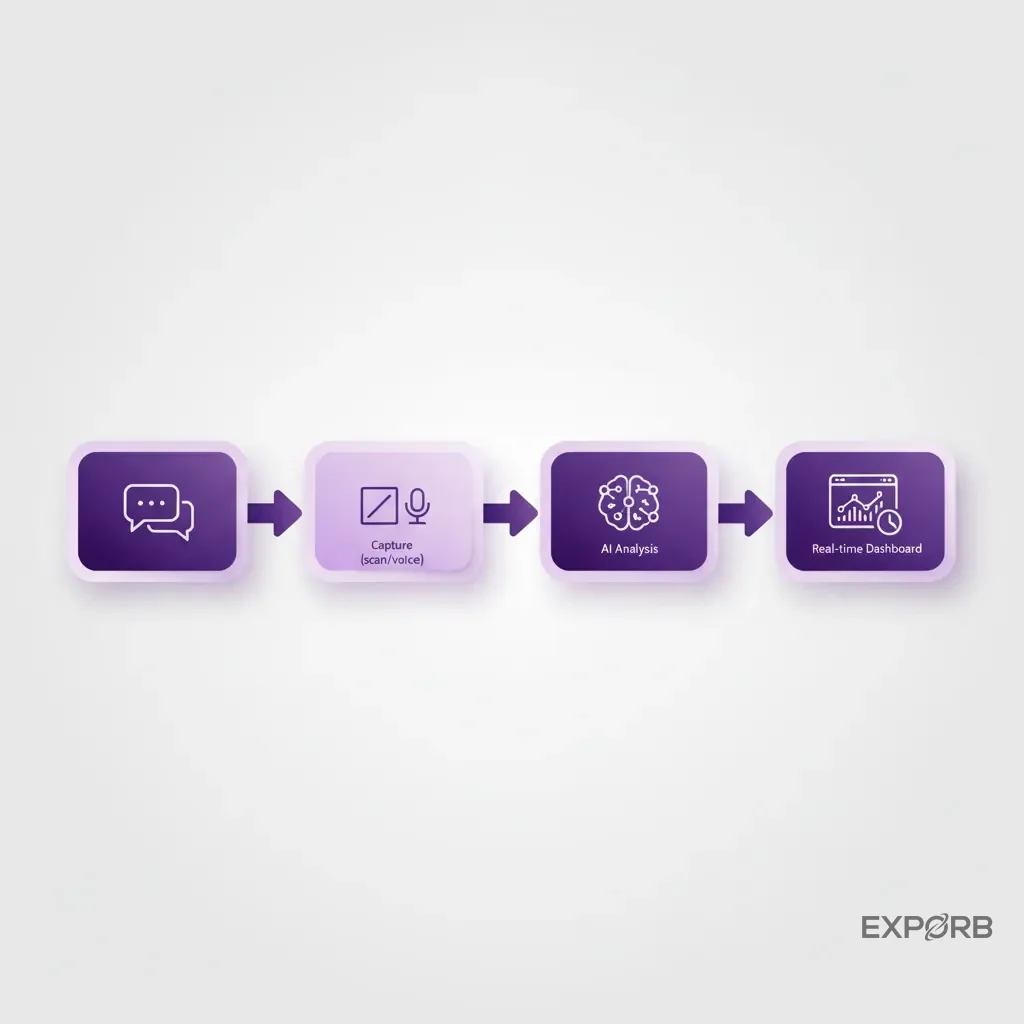
- Capture: At the end of the chat, scan their business card or badge.
- Contextualize: Record a quick voice note summarizing the key takeaways. "Just spoke with Mike from Global Tech. He's struggling with data silos and needs a solution before the end of the year. He's the main decision-maker. Follow up next Tuesday with our ROI calculator."
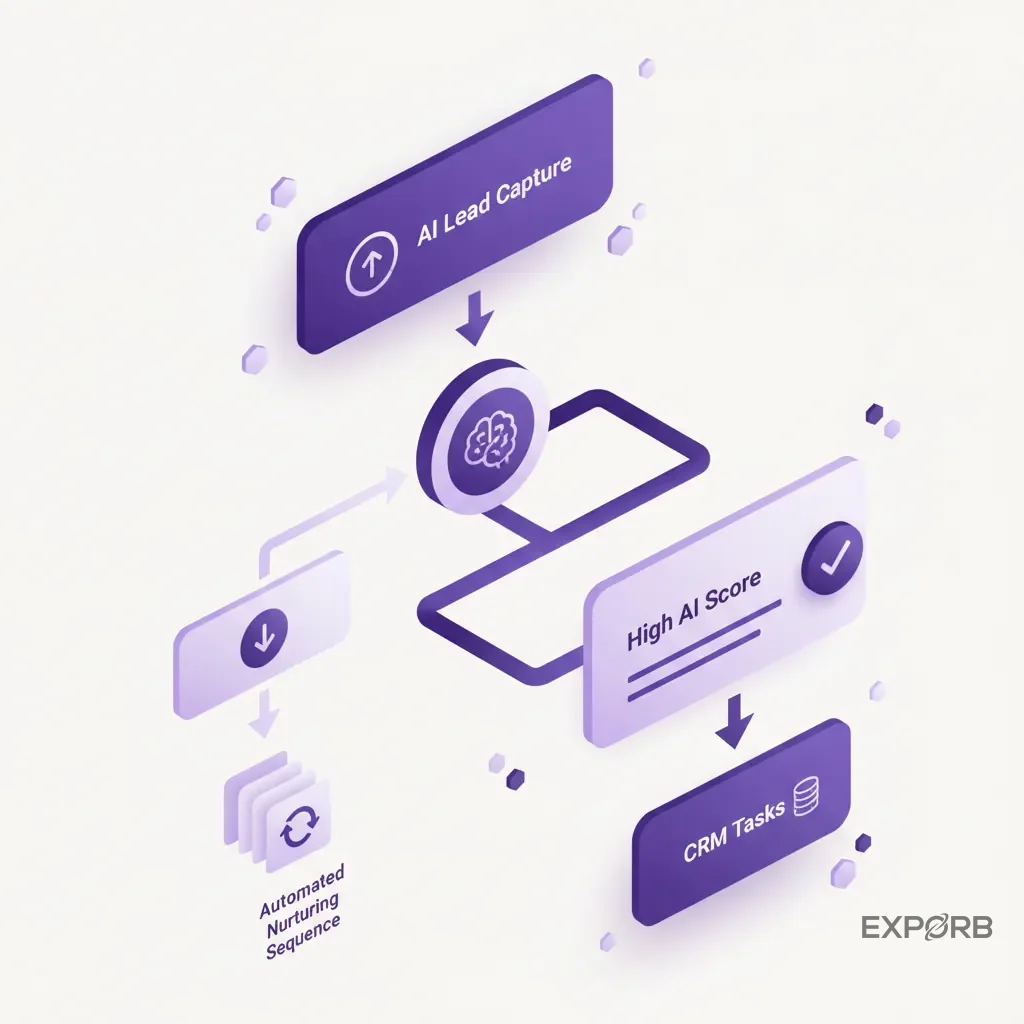
The AI gets to work immediately. It transcribes the note, pulls the contact info, and scores the lead. On a shared team dashboard, a manager can see this happening in real-time. They can see which reps are having the most high-quality conversations and even jump in to help if a particularly hot lead comes in. You're no longer flying blind; you have a real-time view of your event pipeline being built. With a tool like Exporb, your team can see a live activity feed of all interactions, creating a collaborative environment right on the show floor.
Post-show: Automating enrichment, CRM cleanup, and personalized follow-up
The dreaded post-show data entry marathon is over. In fact, it never even started. Because you used a structured capture process, the data is already clean, consistent, and enriched.
Within minutes of the show ending—not days—you can export a perfect, de-duplicated list of every conversation. But it gets better. The best AI platforms don't just hand you a spreadsheet. They automate the next steps.
- Automated Follow-up: The system uses the transcribed notes to draft highly personalized follow-up emails. The email to Mike from Global Tech won't be a generic template; it will reference his specific problem with data silos and attach the promised ROI calculator. Your team just has to review and hit "send."
- Smart CRM Sync: When you push the data to your CRM, it isn't just a flat contact record. The system can map fields intelligently. The transcribed notes go into the activity history, the lead score is updated, and a follow-up task is automatically created for the correct sales rep.
- Deep Analytics: You can finally answer the questions that matter. Which marketing message resonated most on the floor? Which of our reps is best at qualifying C-level executives? Which product feature generated the most interest? This kind of insight helps you improve your ROI for the next show.
The post-show process shrinks from a week of manual labor to a few hours of strategic review.
What separates basic scanners from true AI capture platforms?
The market is flooded with "lead capture apps." Most are little more than digital business card rolodexes with a basic notes field. They solve the problem of deciphering bad handwriting, but they don't solve the much bigger problem of capturing and acting on conversational context. A true AI platform is in a completely different league.
It's the difference between a photograph and a full medical chart. One shows you what a person looks like; the other tells you what's happening inside.
Feature comparison: Standard app vs. AI-powered CRM
Let's break it down. When you're evaluating tools, don't get distracted by shiny objects. Focus on the features that directly impact data quality and speed of follow-up.
Comparison of standard lead capture apps versus true AI-powered platforms.
As you can see, it isn't an apples-to-apples comparison. Standard apps digitize the old process. AI platforms create an entirely new, more intelligent process.
Offline transcription and conversational analysis
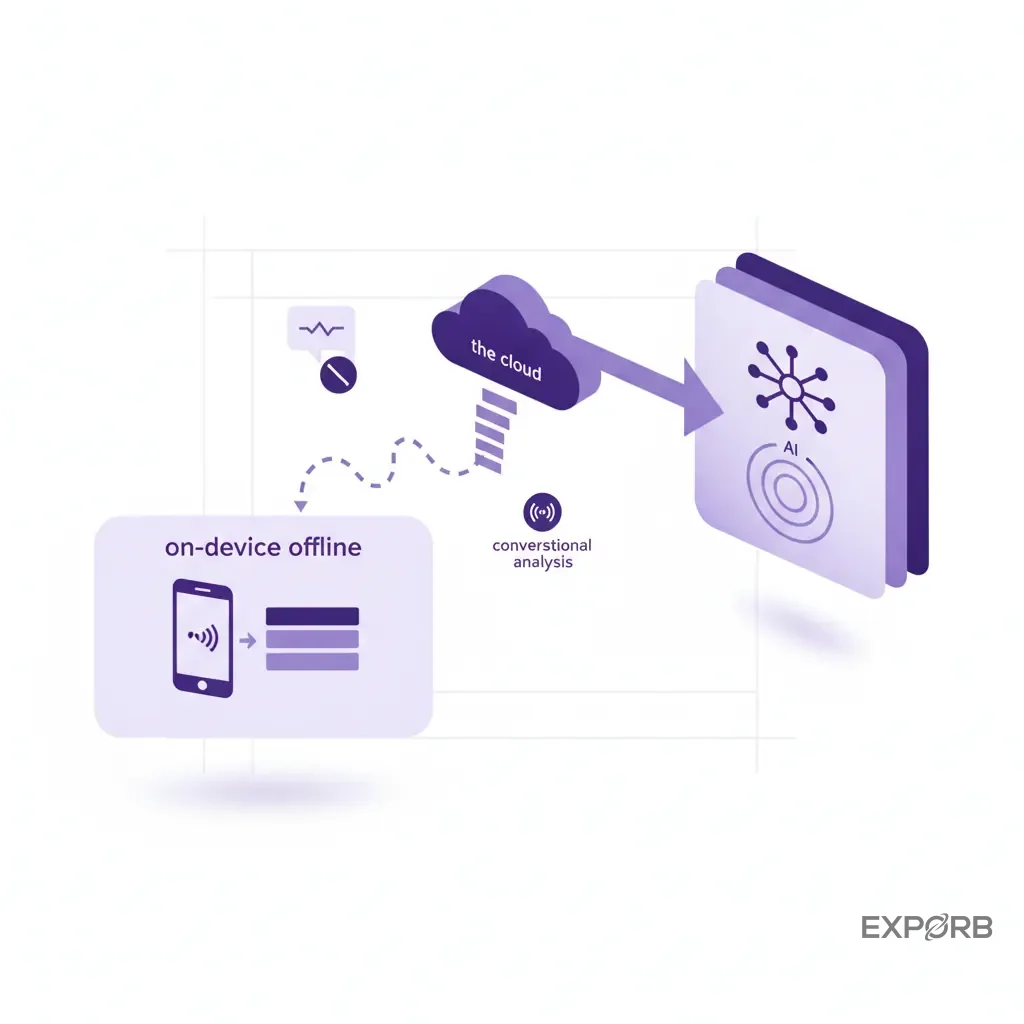
Why is offline capability so important? Because conference center Wi-Fi is notoriously unreliable and expensive. Your lead capture tool must work flawlessly when the internet doesn't. A system that can't capture leads offline is a toy, not a professional tool.
But there's a key distinction to make. The capture part—scanning a card, recording a voice note, taking a photo—has to work 100% offline. The device should store the data securely. However, the AI-heavy lifting—like transcribing the audio and enriching the contact—typically requires a connection to powerful cloud servers.
A well-designed platform like Exporb handles this gracefully. You can capture everything you need offline on the busy show floor. When your device reconnects to Wi-Fi back at the hotel, the app automatically syncs the data, and the AI processing kicks in. You get the best of both worlds: rock-solid reliability at the booth and powerful intelligence behind the scenes.
One platform to capture, verify, and qualify every lead
The goal is to eliminate fragmentation. You don't want one app for scanning cards, another for taking notes, and a spreadsheet for tracking hot leads. That just re-creates the same data silo problem you're trying to solve.
A true AI platform unifies the entire workflow:
- Capture: It's your single point of entry for every interaction, whether it starts with a business card, a QR code, or just a conversation.
- Verify: It uses AI to ensure the data is accurate. It can correct typos in company names, validate email formats, and flag duplicate entries across your team in real time.
- Qualify: It uses the context you've captured to automatically qualify the lead. By analyzing the transcribed notes for keywords related to budget, authority, need, and timeline (BANT), it can surface the leads that are ready for a serious sales conversation right now.
This creates a single source of truth for your event. As a founder or manager, you can finally get a clear, consolidated view of your team's performance and the pipeline they've generated, without waiting a week for a messy report.
Can AI actually improve lead quality over just lead volume?
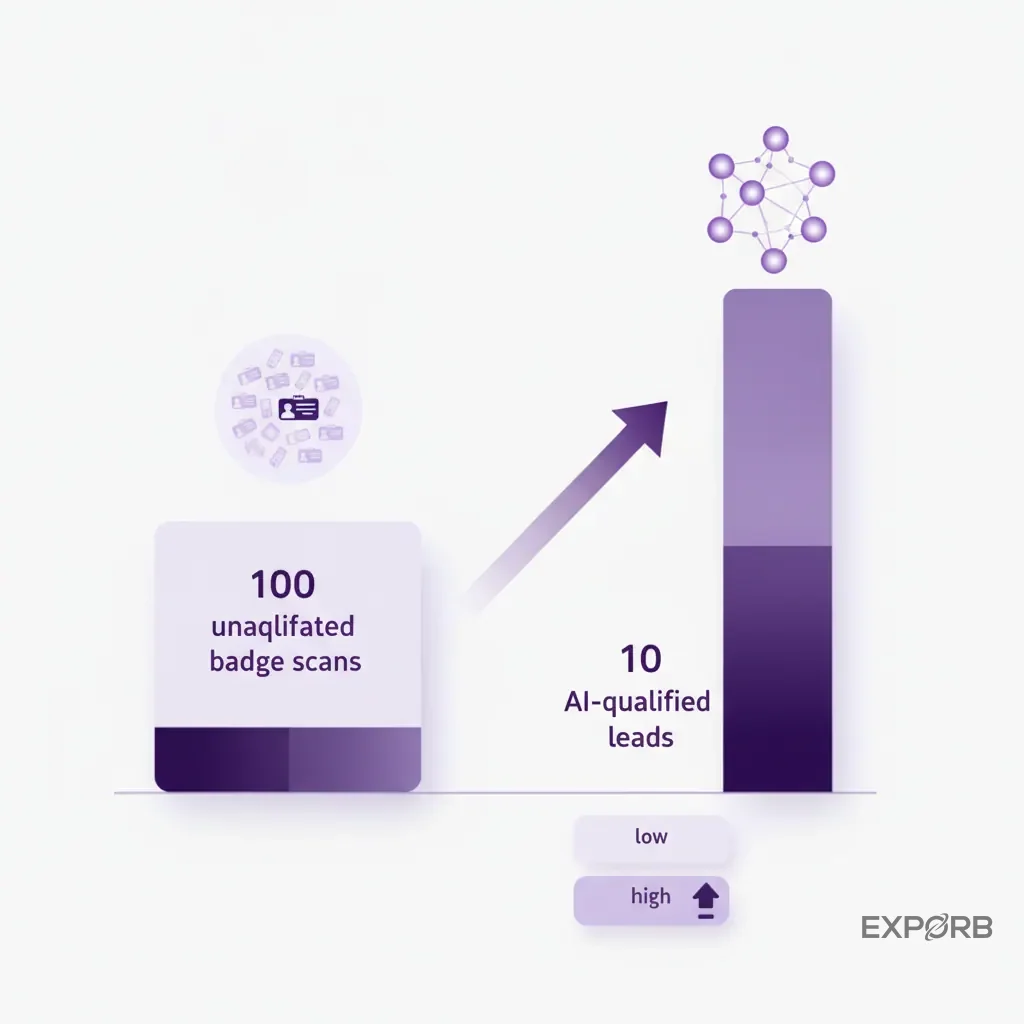
For years, the primary metric for trade show success has been lead volume. This focus is misplaced. "We got 500 scans!" sounds impressive, but what if 450 of those were students, competitors, or people who just wanted the free swag? Your sales team will tell you they'd rather have 10 great leads than 500 bad ones.
This is where AI lead capture flips the script. Its primary function isn't to get you more leads. It's to get you better data about the leads you get, so you can focus on the ones that will actually turn into revenue.
Challenging the myth: Why 10 qualified conversations beat 100 badge scans
The biggest misconception in the event world is that activity equals progress. A beep from a badge scanner feels productive, but it often signifies a low-intent interaction. The person might have just been walking by, grabbing a pen.
A ten-minute conversation where a prospect details their specific challenges and business goals is infinitely more valuable. The problem is that, historically, the value of that conversation was locked in the sales rep's head. It didn't translate into structured, useful data.
AI solves this. By making it easy to capture the essence of that conversation with a quick voice note, you're essentially attaching a "qualification statement" to the contact record. Now, instead of a giant list of undifferentiated names, you have a prioritized list where the top 10 are the people who had those deep, meaningful conversations. Your sales team can immediately focus their energy where it matters most.
Using AI to surface purchase intent, budget, and timeline signals
How does the AI know which leads are better? It's trained to listen for buying signals within your transcribed conversation notes. Just like an experienced salesperson, it can pick up on key phrases that indicate intent.
- Purchase Intent: "We're actively evaluating solutions," "I'm looking for a replacement for [competitor]," "Can you send me a proposal?"
- Budget: "What does the pricing look like?", "We have a budget approved for this quarter," "Is there a discount for annual plans?"
- Timeline: "We need to make a decision by Q3," "Our contract is up in November," "How long does implementation take?"
When these phrases appear in the notes, the AI lead scoring algorithm automatically increases that lead's score. A manager can then build a real-time report that shows only the leads who mentioned both "budget" and "timeline." This is impossible with a standard badge scanner. It allows you to separate the casual browsers from the serious buyers with data, not just gut feel.
Real examples of AI-driven lead scoring from the trade show floor
Let's make this concrete. Here are two leads captured at the same event:
Lead A (Score: 25/100):
- Contact: Scanned badge.
- Notes: "Stopped by for the free t-shirt. Works in marketing at a small agency. Might be interested in our newsletter."
Lead B (Score: 95/100):
- Contact: Scanned business card.
- Voice Note Transcription: "This is Sarah, the VP of Ops at Enterprise Solutions. She's dealing with a major data compliance issue and their current vendor can't help. She has budget approval from her CFO and needs to have a new system in place by the end of the year. She asked for a demo for her and the CTO next week. Super hot lead."
In the old system, both of these might have ended up in the same "leads" spreadsheet. The context for Lead B would rely entirely on the rep's memory. With an AI system, Lead B is immediately flagged, prioritized, and routed for urgent follow-up, while Lead A is correctly placed into a long-term nurture campaign. This simple act of prioritization can dramatically increase your Event ROI.
Integrating AI lead capture into your sales and marketing stack
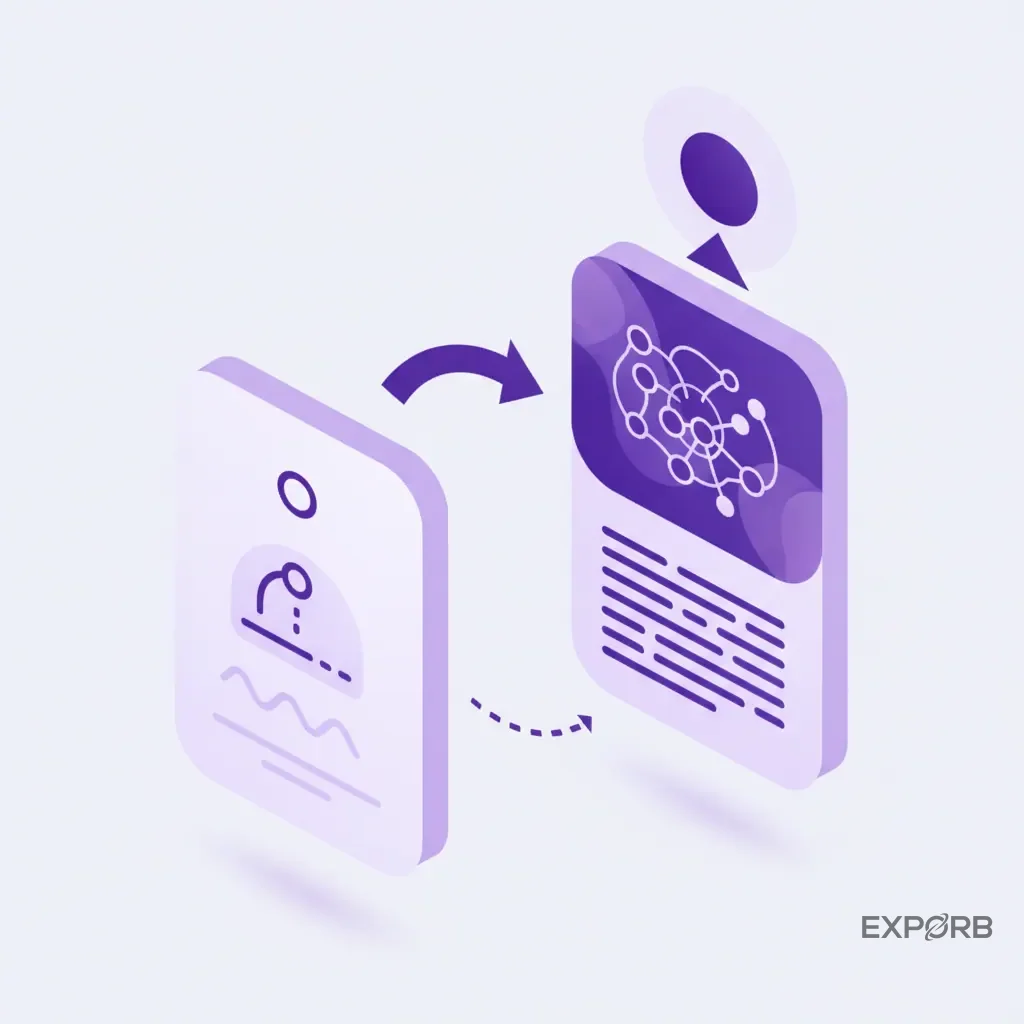
A powerful lead capture tool is useless if the data it collects just sits there. The final—and arguably most important—piece of the puzzle is how this new, rich data flows into the systems your team already uses every day. The goal is a smooth, automated handoff from the event floor to your pipeline, with no manual intervention required.
Connect to the CRM and sales tools you already use
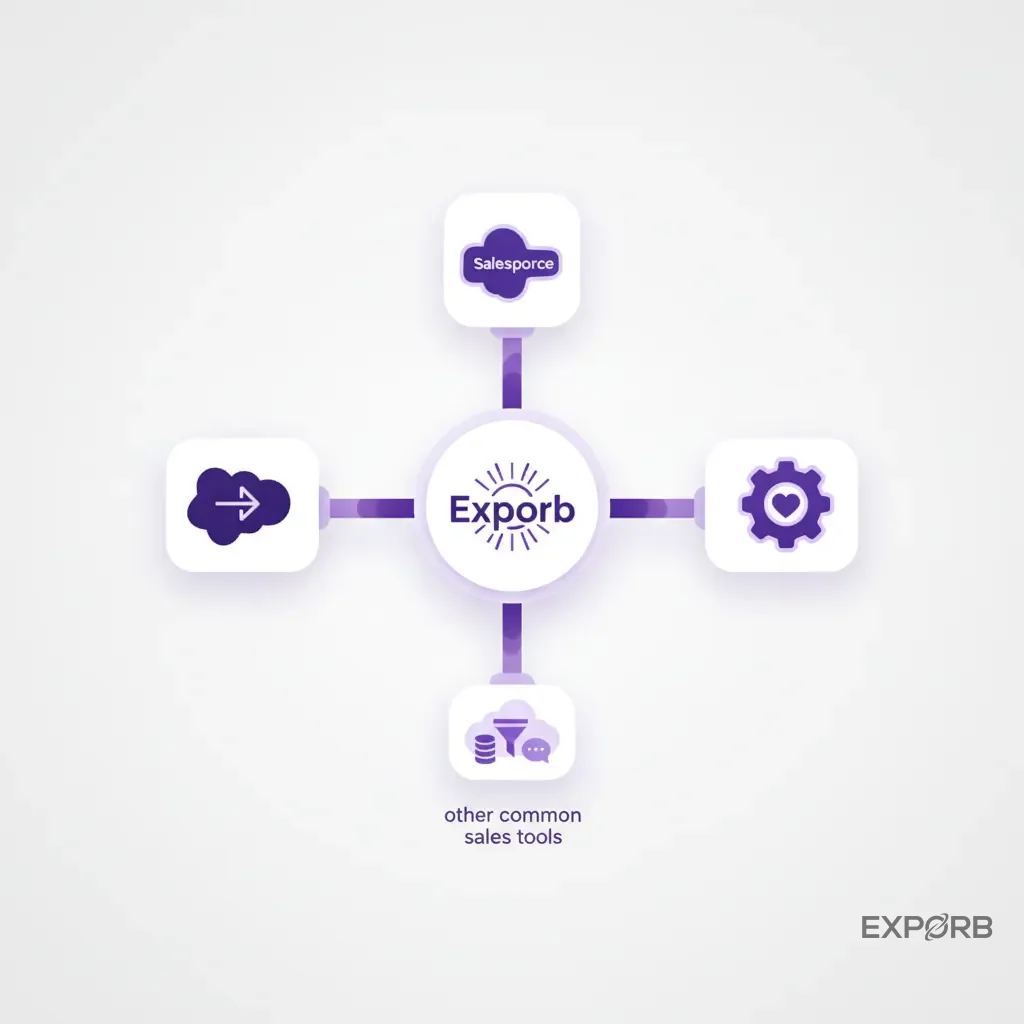
Your CRM—whether it's Salesforce, HubSpot, or something else—is the central nervous system of your sales organization. Any event lead capture solution must treat the CRM as the ultimate destination for its data.
Modern AI platforms don't just offer a simple CSV export anymore. They provide deep, native integrations. This means you can map the fields from your capture app directly to the corresponding fields in your CRM.
- Transcribed notes can be appended to the contact's activity timeline.
- The AI-generated lead score can update the lead status field.
- Custom fields you create in the app (e.g., "Product Interest") can populate custom properties in the CRM.
This means that when a sales rep opens that new lead record, they have the full story of the trade show interaction right in front of them, in a familiar interface. This eliminates the "I don't have enough context" excuse and enables immediate, relevant follow-up. A quality CRM export feature is non-negotiable.
Ensuring a smooth data flow from the event floor to your pipeline
The ideal data flow is real-time and automated. As soon as you capture and qualify a lead at the booth, the process should kick off:
- The lead, along with all its enriched data and transcribed notes, is instantly created in your CRM.
- The lead is assigned to the correct owner based on pre-set rules (e.g., by territory, by company size).
- The lead is enrolled in the appropriate marketing automation sequence (e.g., "Hot Trade Show Lead Follow-up").
- A task is created for the sales rep to follow up within 24 hours.
This level of automation is only possible when you have clean, structured data from the very beginning. A pile of messy business cards and badge scans can't power this kind of workflow. An AI capture system provides the high-quality fuel needed to run your sales and marketing engine at full speed.
Using platforms like Slack and Tableau for real-time event insights
Integration doesn't have to stop at the CRM. Forward-thinking teams now pipe their real-time event data into other business intelligence tools.
Imagine a dedicated Slack channel for your event where a notification pops up every time a lead with a score over 90 is captured. This allows key stakeholders—from the VP of Sales to the CEO—to have a real-time pulse on the event's success without having to log into another platform.
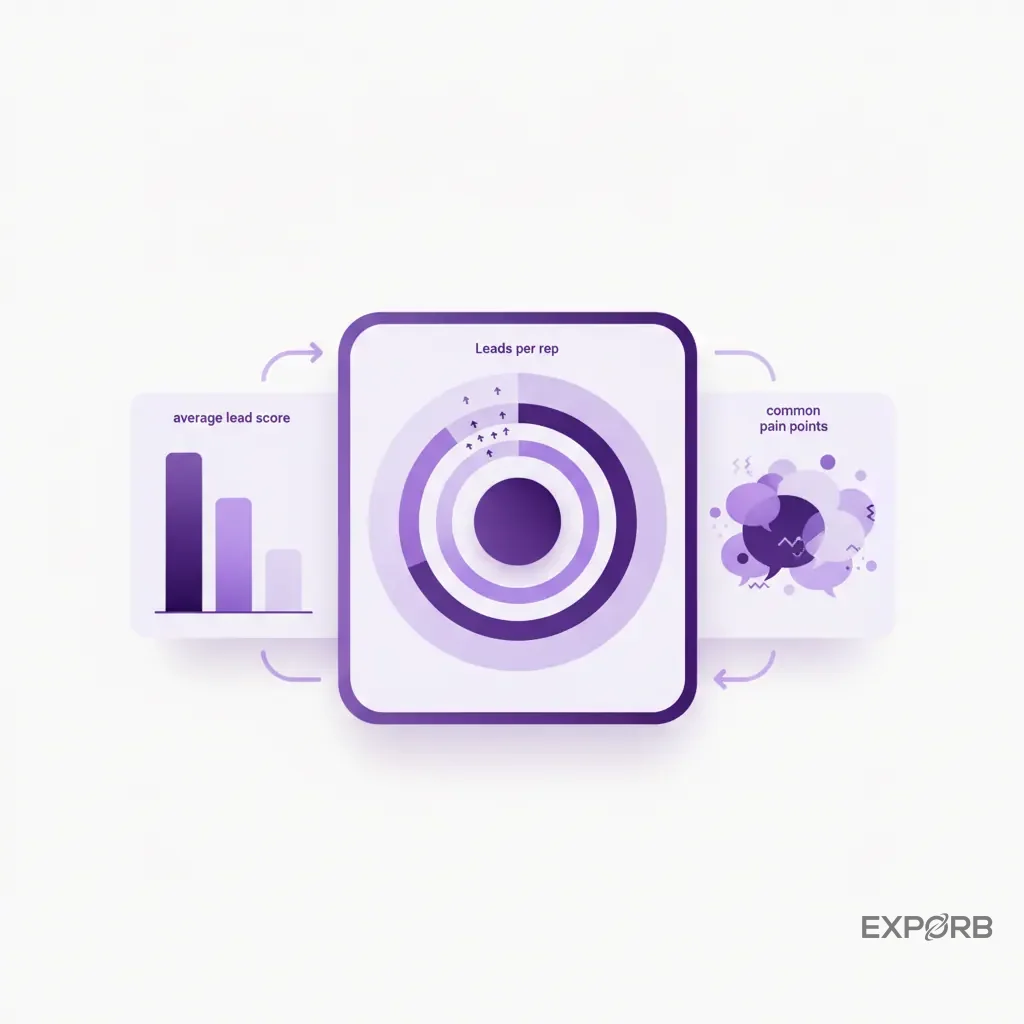
You can also connect the data to a visualization tool like Tableau. This would let you build a live dashboard showing leads captured per hour, a leaderboard of your top-performing reps, and a word cloud of the most frequently mentioned pain points from conversation transcripts. This turns your trade show presence from an art into a science, giving you the data you need to make adjustments on the fly and optimize your strategy for future events.
How do you implement an AI lead capture strategy at your next event?
Switching to a new technology and process can feel daunting, but it doesn't have to be. A successful rollout is less about the tech itself and more about team training and clear expectations. A great tool in the hands of an untrained team is still just a great tool. Here's a step-by-step approach to ensure your team hits the ground running.
A step-by-step guide for your booth staff
Don't just hand your team a new app and hope for the best. Walk them through a structured plan.
Pre-Show Setup (1 week before):
- Install the app on all devices (phones or tablets).
- Customize the capture form. Add any custom fields you need, like "Product of Interest" or "Current Vendor."
- Set up your CRM integration and test the data flow with a few sample leads.
- Pre-load any templates for follow-up emails.
Team Training (2 days before):
- Hold a 30-minute training session. Don't just show them the features; explain the why behind the new process. "We're doing this so you don't have to spend hours on data entry and can follow up faster."
- Run a role-playing exercise. Have them practice having a conversation, scanning a card, and recording a concise, effective voice note.
- Set clear goals. Define what a "qualified lead" looks like and agree on a team goal for how many you want to capture.
During the Show:
- Hold a brief 10-minute huddle each morning to review progress and address any issues.
- Use the team dashboard to encourage friendly competition with a leaderboard showing who is capturing the most high-quality leads.
- Encourage immediate follow-up. Challenge the team to get personalized follow-up emails sent before the lead even leaves the booth.
Post-Show (1 hour after):
- Initiate the final sync and export all data to your CRM.
- Hold a quick debrief meeting. What worked well? What could be improved for the next show?
- Distribute the final, clean lead list to the sales team for any manual follow-up that wasn't automated. The entire process should be complete on the same day the event ends.
Training your team to use conversational AI prompts
The biggest change for your team is moving from scribbling notes to recording voice memos. Some reps might feel self-conscious at first. You need to frame it correctly. It isn't surveillance; it's a tool to give them a perfect memory.
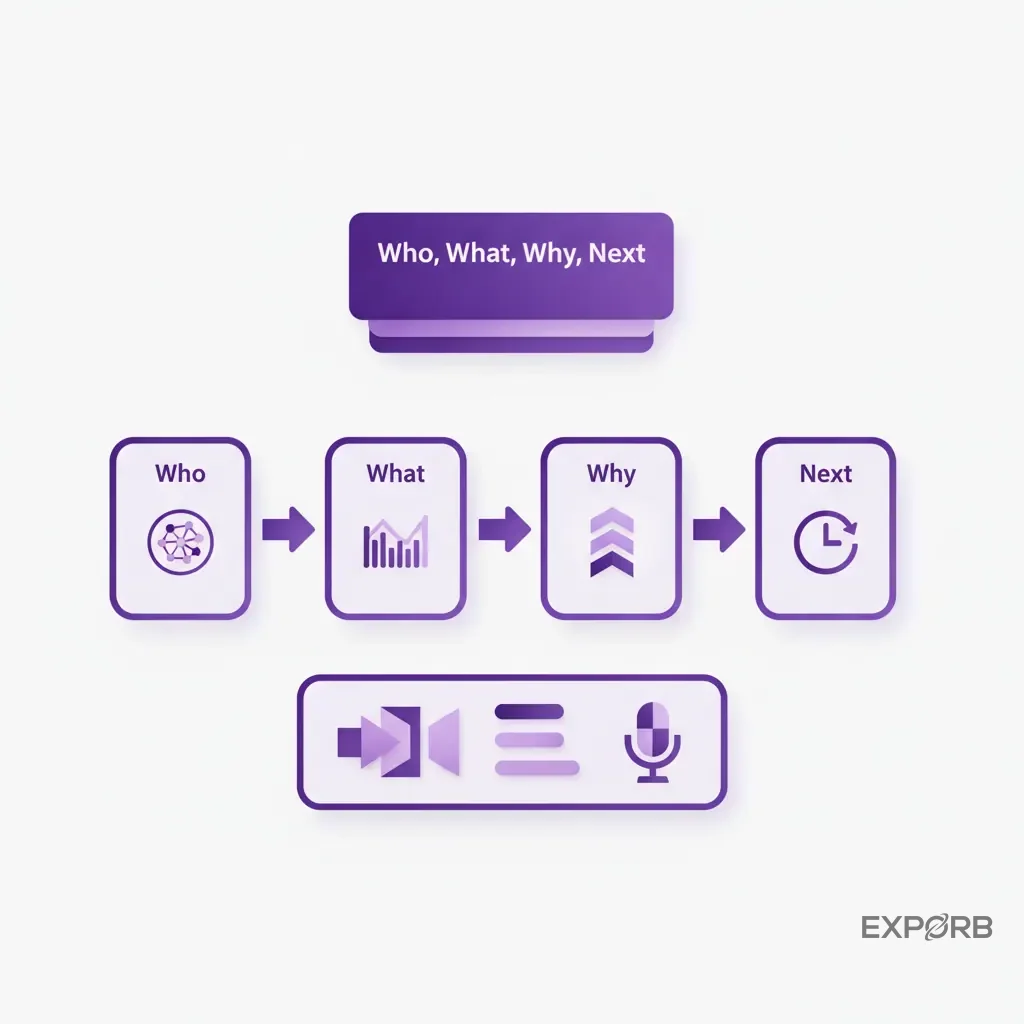
Coach them on what makes a good voice note. It should be a concise summary, not a word-for-word transcript of the conversation. A simple formula works well: "Who, What, Why, Next."
- Who: "This is [Name] from [Company], the [Title]."
- What: "They're interested in [Product/Service]."
- Why: "Their biggest pain point is [Problem]. They're looking to solve it because [Business Driver]."
- Next: "The next step is to [Action Item] by [Date]."
Example: "This is David from Innovate Inc, the Director of IT. They're interested in our security platform. Their biggest pain point is ransomware vulnerability after a recent scare. The next step is to send him our security whitepaper and schedule a demo for next week."
Practicing this formula removes the guesswork and ensures you get consistent, high-quality data from every team member.
Setting up your post-show automation and human review gates
Automation is powerful, but you still want human oversight. Your goal is to automate the repetitive tasks while keeping a human in the loop for the strategic ones.
A good setup looks like this:
- AI Drafts, Human Sends: Configure your system to have the AI draft the personalized follow-up emails, but require a team member to review and click "send." This catches any potential AI weirdness and adds a final human touch.
- Automated Nurturing for Low-Scoring Leads: Set up a rule that automatically adds any lead with a score below 40 to your monthly newsletter or a long-term nurture campaign in your marketing automation platform. No manual work needed.
- Immediate Task for High-Scoring Leads: For any lead with a score above 80, create a workflow that instantly assigns a high-priority task in your CRM for the designated sales rep to make a personal phone call within 4 hours.
This blended approach gives you the speed and efficiency of AI without sacrificing the quality control and personal touch that closes deals.
See how leading exhibitors use AI to measure event ROI
For decades, measuring the true ROI of a trade show has been a fuzzy, inexact science. You knew it was valuable for brand awareness, but tying specific booth conversations to closed-won deals was nearly impossible. The data was too messy, and the attribution path was too long.
AI lead capture finally provides the clean, structured data needed to connect the dots. It gives founders and marketing leaders the visibility they've always craved.
Case study: The founder who finally gained visibility into team conversations
At Exporb, we built our tool because, as founders, we were flying blind. We'd send our team to a major event, and they'd come back saying, "It was great! We met lots of people." But when we asked which conversations mattered, which ones were ready to buy, we'd get vague answers. The real intelligence was trapped in the heads of our reps.
By implementing our own tool, we suddenly had a real-time dashboard. We could see every single conversation as it happened. We saw that one rep was fantastic at engaging enterprise prospects, while another was great with startups. We saw that our new messaging around "data security" was mentioned in 60% of the high-scoring leads.
This wasn't about micromanaging; it was about understanding our business. For the first time, the trade show wasn't a black box. It was a rich source of product feedback, competitive intelligence, and, of course, high-quality pipeline. This is the visibility every business leader wants but rarely gets from their event marketing spend.
From booth traffic to closed-won: Attributing revenue to specific events
Here's how you can finally draw a straight line from a handshake at the booth to a closed deal in your CRM.
- Consistent Campaign Tagging: When your AI lead capture tool syncs with your CRM, ensure that you tag every lead from a specific event with a consistent campaign name (e.g., "SaaStr Annual 2026").
- Track Opportunity Source: Your sales team must maintain the discipline of linking the "Opportunity" object in your CRM back to the original contact and their source campaign.
- Build the Report: In your CRM, you can now build a simple report that shows:
- All leads generated from the "SaaStr Annual 2026" campaign.
- How many of those leads converted into opportunities.
- The total dollar value of those opportunities.
- The total dollar value of closed-won deals from that campaign.
Now you can calculate a real, defensible ROI. If you spent $70,000 on the event and your report shows you closed $350,000 in new business from it, you have a 5x ROI. This is the kind of data that gets you more budget for next year. Without the clean, structured data from an AI capture system, this report is a nightmare of "best guesses" and manual VLOOKUPs.
What others have to say: Real-world testimonials and results
Don't just take our word for it. Companies that have switched from traditional methods to an AI-powered approach consistently report transformative results.
They talk about cutting their post-show processing time from a week to a few hours. They talk about their sales teams being thrilled because, for the first time, they're receiving leads with actual context they can use. Most importantly, they talk about seeing a measurable lift in their lead-to-opportunity conversion rate from events.
One common theme is the element of surprise—leaders are often shocked to learn what's actually being discussed at their booth versus what they thought was being discussed. The qualitative insights from analyzing hundreds of conversation transcripts often prove just as valuable as the quantitative leads themselves.
Understanding the investment: AI lead capture pricing models
When you invest in a sophisticated tool, you need to understand the pricing structure and how it aligns with your business needs. Unlike the throwaway badge scanners you rent from event organizers, a true AI lead capture platform is a strategic investment in your sales and marketing infrastructure. The pricing models reflect this difference.
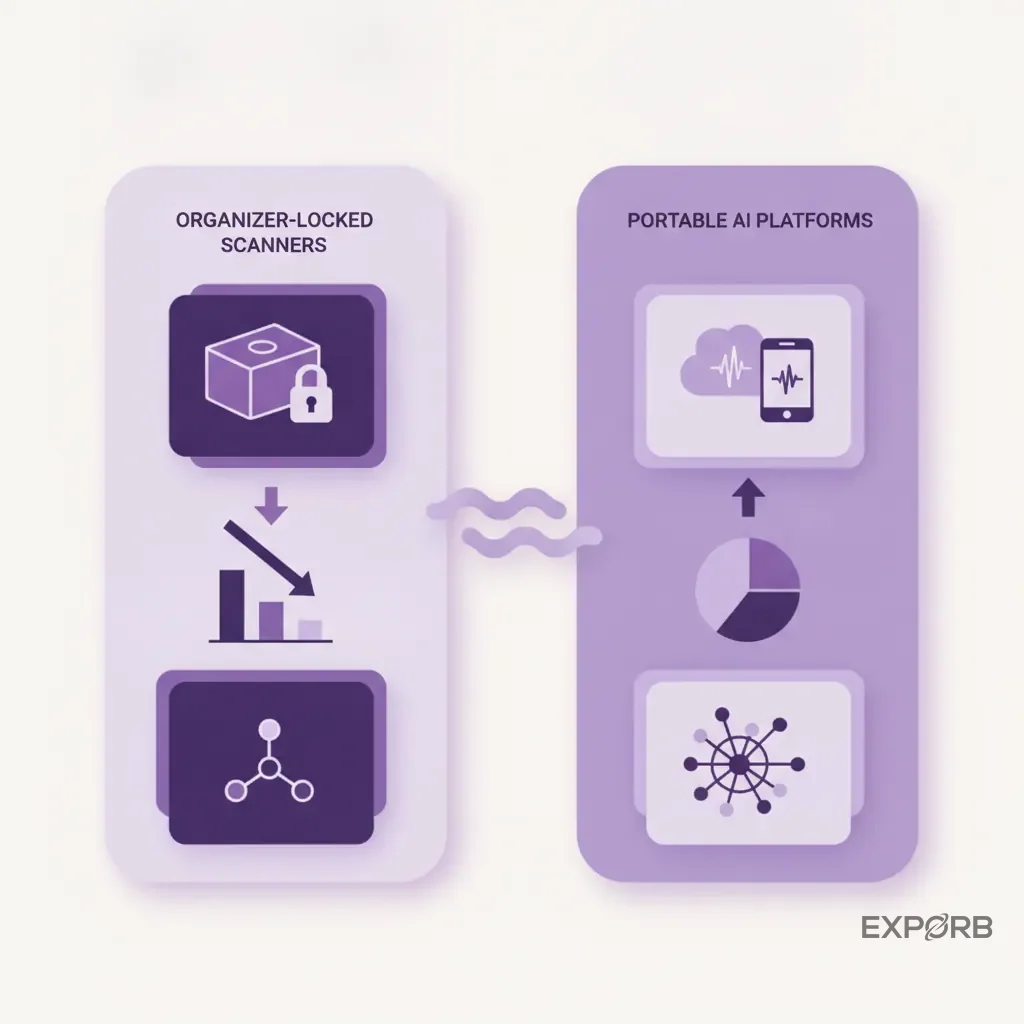
Portable vs. organizer-locked: Why a multi-event platform provides better value
Most event organizers will try to sell you on their "official" lead retrieval app. These are almost always a bad deal for two reasons.
First, they're organizer-locked. The app you use for Event A won't work at Event B, which is run by a different organizer. This means you have to constantly retrain your team on new, clunky software for every show you attend. Your data ends up scattered across multiple systems, making it impossible to get a complete view of your event performance.
Second, they're incredibly basic. They're designed for the lowest common denominator and lack the advanced AI, CRM integration, and team collaboration features we've been discussing.
A portable, multi-event platform is a subscription you own. It works the same way at every event, year after year. Your team becomes proficient with a single, powerful tool. Your data for all events lives in one centralized place. While the upfront cost might seem higher than a one-off rental, the total cost of ownership and the long-term value are vastly superior.
Calculating the ROI of an AI-powered system
How do you justify the investment to your CFO? You don't talk about features; you talk about money.
Here's a simple ROI framework:
- Cost of Wasted Time: Calculate the number of hours your team spends on post-show data entry and cleanup. Let's say it's 20 hours for two people at an average loaded cost of $75/hour. That's $3,000 in wasted salary per show.
- Value of Speed: Industry data shows faster follow-up significantly increases conversion rates. If you can increase your lead-to-opportunity conversion rate by just 5% through immediate, personalized follow-up, what is that worth? If you generate 100 leads and your average deal size is $25,000, that 5% lift is worth $125,000 in new pipeline.
- Value of Lost Leads: How many leads are lost due to typos, unreadable notes, or simply being forgotten? If you prevent just two high-quality leads from falling through the cracks per event, what is the potential revenue saved?
When you add it all up, the subscription cost for a powerful AI platform often pays for itself from the time saved and opportunities gained at a single event. You can check out different models on our pricing page to see how this scales.
What does pricing look like for small teams vs. enterprise?
Most modern SaaS platforms, including those for lead capture, use a tiered pricing model that scales with your usage and needs.
- For Small Teams & Startups: Look for a plan that might be priced per user or offers a generous free tier to get started. You'll need the core functionality—card scanning, voice notes, basic export—without paying for enterprise features you don't need yet.
- For Mid-Market & Enterprise: As your team grows, you'll need more advanced features. Pricing is often based on the number of users, but also on access to things like advanced CRM integrations (e.g., Salesforce), team permissions and roles, dedicated support, and higher usage limits for AI transcription and enrichment.
The key is to find a platform that can grow with you. You want to start with a plan that fits your budget today, but have a clear upgrade path as your Event Marketing program becomes more sophisticated.
Related: How to Choose the Right Lead Capture App for Your Team
Build your 2026 event ROI playbook with AI lead capture
You've seen the problems with the old way and the potential of the new. It's time to stop treating trade shows as an expensive branding exercise and start running them like a predictable, data-driven revenue engine. An AI lead capture strategy isn't just a "nice to have" anymore; it's the foundation of any modern event marketing program. It's how you prove your value and secure your budget for years to come.
Your pre-event technology and team checklist
Before your next show, make sure you have your playbook ready. Don't leave this to the last minute.
Technology Checklist:
- Choose and subscribe to a portable, multi-event AI lead capture platform.
- Install the app on all team members' devices (and bring charged power banks!).
- Configure your custom fields and lead qualifiers in the app.
- Set up and test your CRM integration. Ensure data flows correctly.
- Draft and load your follow-up email templates.
Team Checklist:
- Schedule and conduct a mandatory 30-minute training session.
- Run role-playing exercises on capturing context with voice notes.
- Define and communicate the event-specific goals (e.g., "50 leads with a score over 75").
- Assign a "data captain" for the event responsible for monitoring the team dashboard and ensuring data quality.
- Confirm everyone understands the post-show follow-up process and their role in it.
Key performance indicators to track during and after the show
You can't improve what you don't measure. With the clean data from your AI system, you can now track KPIs that actually matter.
During the Show (from your app's dashboard):
- Leads Captured Per Rep / Per Hour
- Average Lead Score
- Number of Leads with a Score > 80
- Most Common "Pain Points" Mentioned (from transcript analysis)
After the Show (from your CRM):
- Follow-up Rate (Percentage of leads contacted within 24 hours)
- Lead-to-Opportunity Conversion Rate
- Pipeline Value Generated from the Event
- Closed-Won Revenue Attributed to the Event
- Cost Per Opportunity (Total Event Spend / # of Opportunities)
These are the numbers that tell the real story of your event's success.
Ready to capture better leads and prove event value?
The days of returning from a trade show with a pocketful of dead business cards and a vague sense of accomplishment are over. The technology now exists to capture the true value of every conversation, turn it into structured intelligence, and use it to drive immediate, personalized action.
By shifting your focus from lead volume to lead quality—and by helping your team with tools that make it easy to capture context—you can transform your event program from a cost center into a powerful and predictable revenue generator. It's time to stop investing in fancier booths and start investing in a smarter process. Your sales team, your CFO, and your future customers will thank you for it.