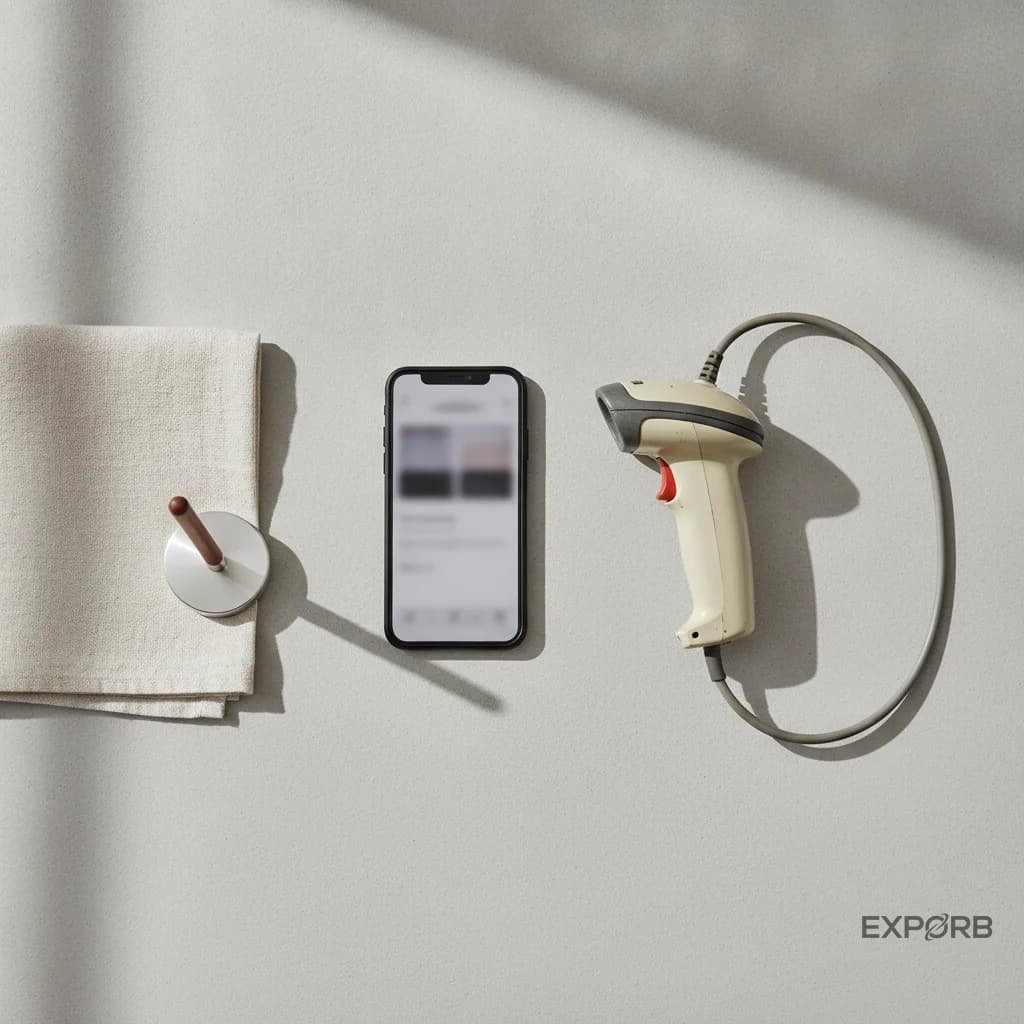
If you've exhibited at trade shows for more than a few years, you know the drill: show up, pick up a rented badge scanner from the organizer's desk, scan badges all day, and get a CSV file at the end. That device was called a "lead retrieval" scanner — and it's why so many exhibitors still search for "lead retrieval apps" today.
But a new category has emerged. The lead retrieval app vs lead capture app debate isn't about semantics — it's about whether you're renting hardware for one event or building a system that works across every show you attend. Modern tools call themselves lead capture apps, and they do a lot more than scan badges. They take photos, record voice memos, sync with your CRM in real time, and work across every event — no rented hardware required.
This guide breaks down the real differences, why the terminology matters, and how to pick the right tool for your booth team.
What Is Lead Retrieval?
Lead retrieval is the older term. It comes from the era when event organizers provided exhibitors with dedicated hardware — handheld barcode scanners or card-swiping terminals — that could pull up an attendee's registration data when their badge was scanned.
The workflow was simple but limited:
- Pick up the scanner from the organizer's tech desk (often for a rental fee)
- Scan badges at your booth
- Return the scanner at the end of the show
- Receive a spreadsheet — sometimes days later — with the contacts you captured
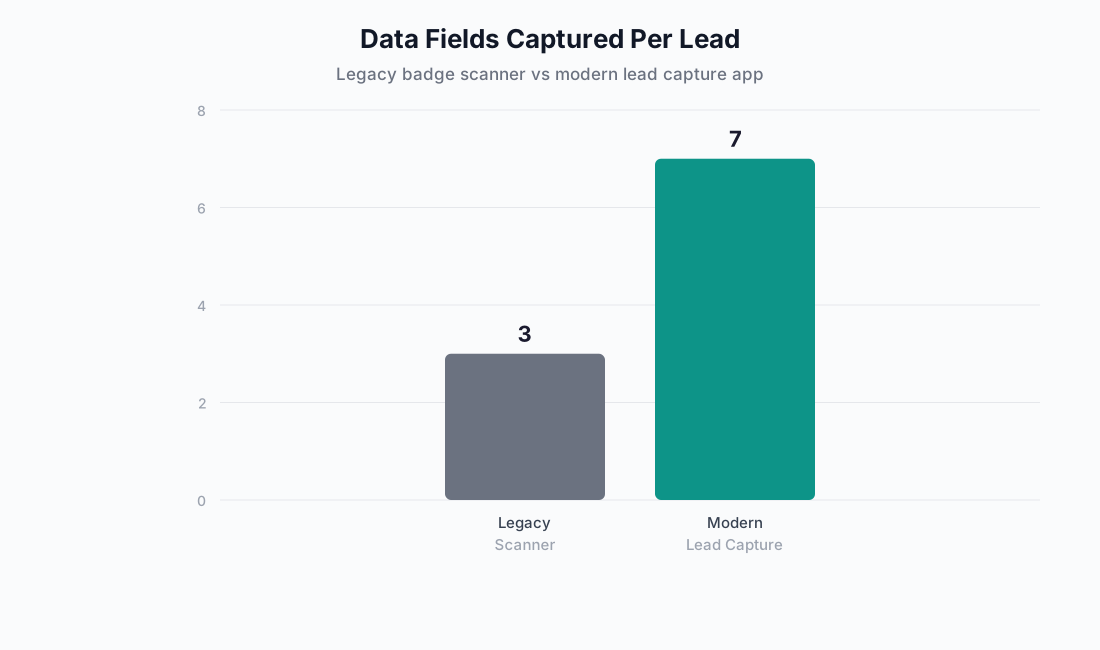
The key limitation: you only got what the registration form collected. Name, company, job title, maybe an email. No qualification data, no notes about the conversation, no way to flag hot leads versus tire-kickers.
VenueSight, Whova, and BoothIQ still use the term "lead retrieval" today — largely because exhibitors search for it. All three have moved far beyond the old hardware model, but the language persists.

What Is Lead Capture?
Lead capture is the broader, more modern term. It describes any tool — usually a mobile app — that collects prospect information at events. But unlike legacy lead retrieval, it captures more than just badge data.
A modern lead capture app typically handles:
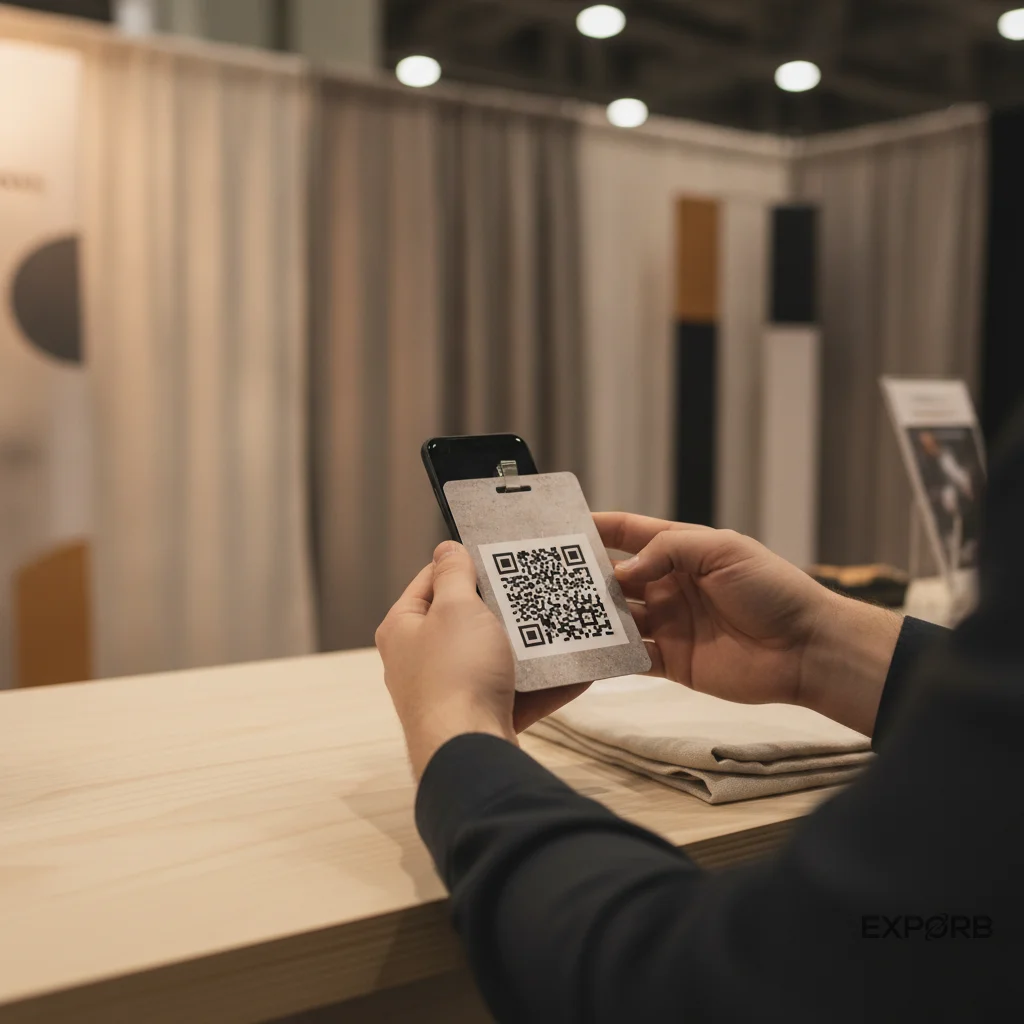
- Badge scanning — QR codes, barcodes, NFC
- Business card scanning — camera-based OCR, even handwritten cards
- Custom qualification forms — drop-downs, checkboxes, star ratings
- Voice memos with transcription — record context immediately after a conversation
- Photos — of business cards, products, booth setups
- Offline capture — works without Wi-Fi, syncs when you're back online
- Real-time CRM export — leads flow to Salesforce, HubSpot, or your stack automatically
The result is a richer lead record that helps your sales team follow up intelligently — not just a name and email in a spreadsheet.
The Real Differences: Comparison Table
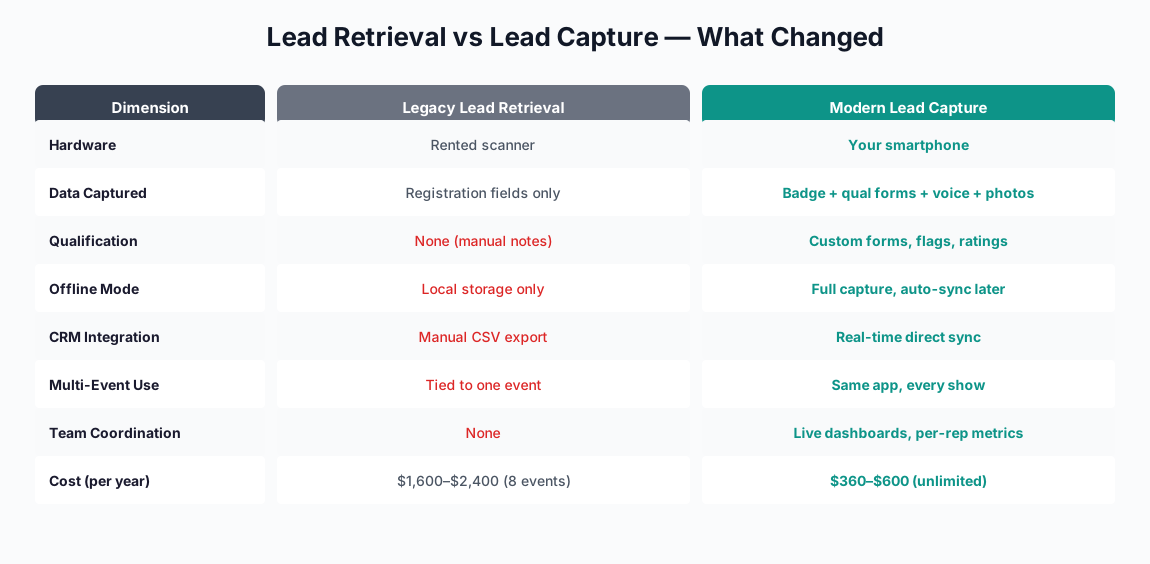
| Dimension | Lead Retrieval (Legacy) | Lead Capture (Modern) |
|---|---|---|
| Hardware | Rented scanner from organizer | Your own smartphone |
| Data captured | Registration fields only | Badge + custom forms + voice + photos |
| Qualification | None (or manual notes) | Custom qual forms, hot-lead flags, star ratings |
| Offline | Yes (local storage) | Yes — modern apps sync when back online |
| CRM integration | Manual export (CSV, days later) | Real-time or one-tap export |
| Multi-event use | No — tied to one event's system | Yes — use the same app at every show |
| Team coordination | None | Manager dashboards, role-based permissions, live sync |
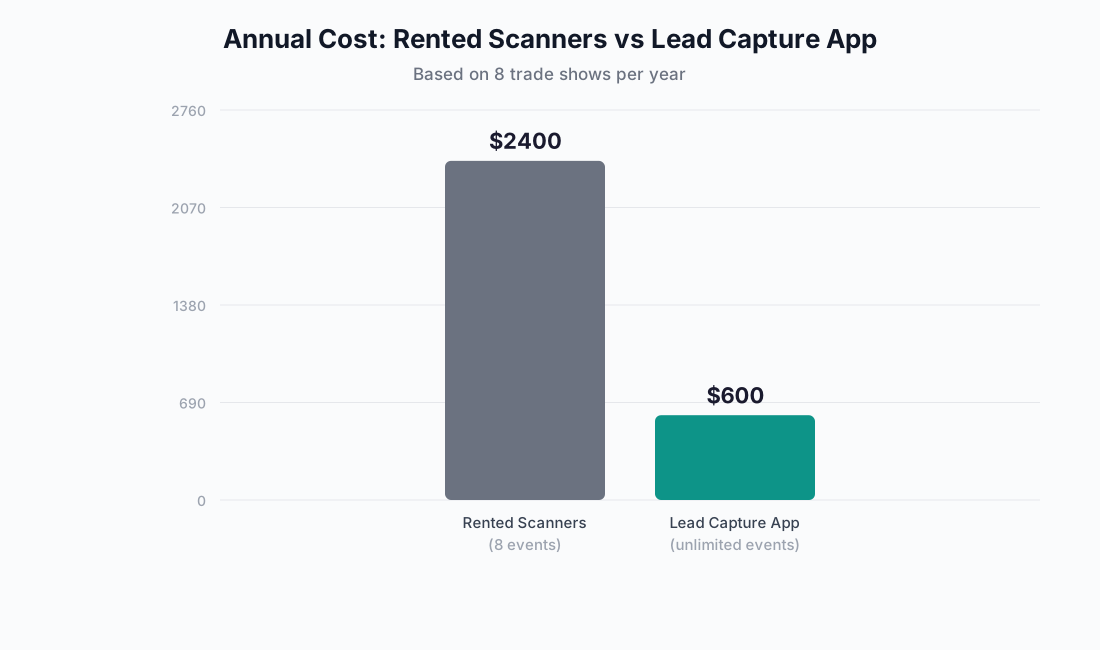
| Cost | Per-event rental ($100–$300+) | Monthly subscription, use at unlimited events |
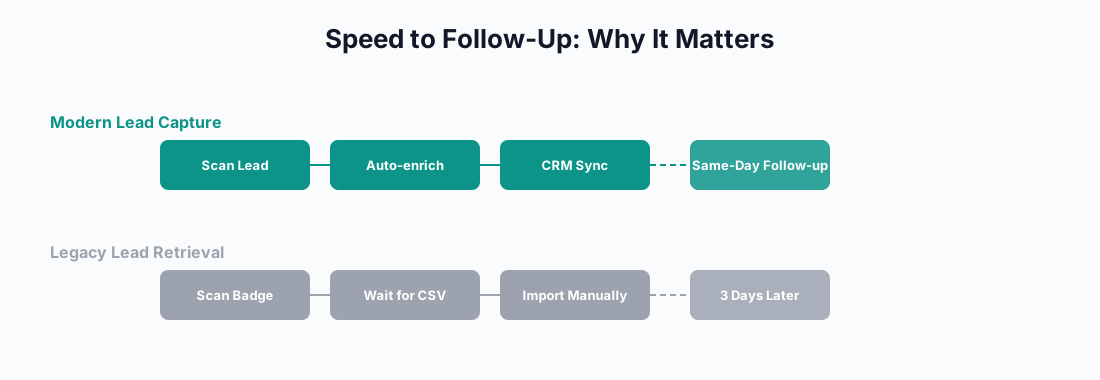
| Follow-up speed | Days (waiting for the CSV) | Same day — leads already in your CRM |
The gap isn't just about features. It's about time to follow-up and data quality.
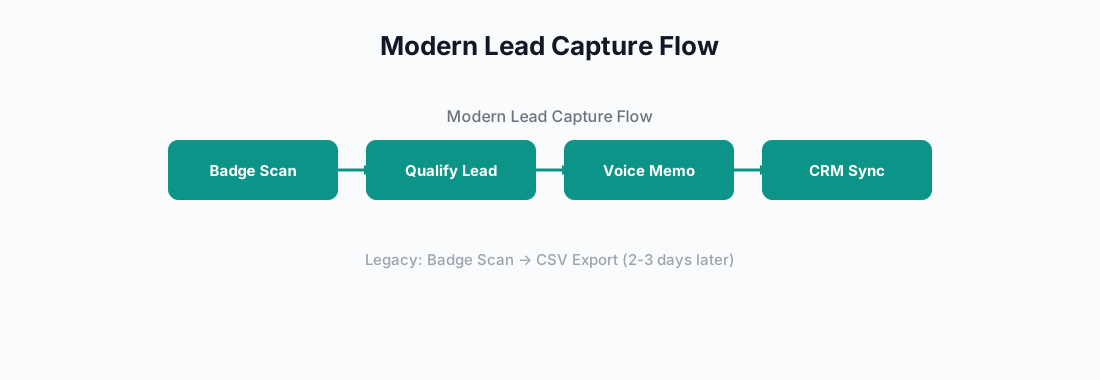
A 2025 study by the Center for Exhibition Industry Research found that exhibitors who follow up within 24 hours are 60% more likely to qualify a lead — but legacy lead retrieval workflows often delay follow-up by 48–72 hours.
Why Exhibitors Are Moving to Mobile Lead Capture
1. You Attend Multiple Events
Most exhibitors do 3–8 trade shows per year. Renting a scanner from each organizer means learning a new device every time and ending up with leads scattered across different spreadsheets. A universal lead capture app is the same workflow, same interface, same CRM connection at every event.
2. Richer Data Sells Better
A badge scan gives you: name, company, title. A lead capture session with voice notes gives you: what they're interested in, which competitor they're evaluating, what their timeline is, and a photo of their business card. Your sales team knows exactly how to follow up.
3. Team Coordination Matters
If you have 4 booth staff scanning badges on separate devices with no central view, you have no idea how many leads the team captured until the end of the day. Modern lead capture apps sync leads across the team in real time, with manager dashboards showing capture rates, lead quality distribution, and per-rep performance.
4. Offline Is Non-Negotiable
Convention centers are notorious for bad connectivity. Legacy scanners store data locally but can't enrich it. Modern lead capture apps work fully offline — scan, qualify, voice note — and automatically sync everything when you're back online.
How to Pick the Right Lead Capture App
When evaluating a lead capture tool, look for these capabilities:
Universal compatibility. The app should scan any badge format — QR codes, barcodes, NFC — regardless of the event organizer's system. Captello calls this "universal lead capture," and it's become table stakes.
Multi-modal capture. Badge scanning alone isn't enough. Your team should be able to photograph business cards, type in contact details manually, record voice notes, and fill out custom qualification forms — all from the same interface.
Offline-first. Test the app in airplane mode before committing. If it can't capture and store leads without internet, it'll fail you in a convention center basement.
CRM integration that actually works. Real-time sync to Salesforce, HubSpot, or whatever CRM you use. Not "export to CSV and import manually."
Team features. Role-based permissions (admins vs. booth staff), real-time lead visibility across team members, and manager dashboards. If you're fielding a team, these matter more than any individual feature.
Voice and context capture. The most valuable data from a booth conversation is what was said — not what was scanned. Voice memos with automatic transcription preserve context that would otherwise be lost by the time the rep gets back to their hotel.
How Exporb Approaches Lead Capture
We built Exporb for booth teams and field sales — not as a general-purpose event app with lead capture tacked on. The approach reflects the differences outlined above:
- Guided capture flow — each lead goes through the same qualification steps, so data is consistent across your whole team
- Voice memos with live transcription — record a 30-second summary after each conversation; the transcription is saved with the lead
- Photos of business cards — camera capture with manual review, no OCR hallucination
- Offline-ready — full functionality without internet; syncs when back online
- Team coordination — leads appear in real time across all devices; managers see dashboards with per-rep metrics
- One-tap CRM export — leads go directly to your CRM, not to a CSV file
Exporb is not a lead retrieval scanner replacement — it's a different category. It captures what happened at the booth, not just who was there.
FAQ
Is "lead retrieval" the same thing as "lead capture"?
Functionally, yes — both involve collecting prospect data at events. The difference is scope. Lead retrieval traditionally means badge scanning with organizer-provided hardware. Lead capture means any method of collecting and qualifying prospect information, usually with a mobile app that does more than scan.
Do I still need to rent a lead retrieval scanner?
No. Most modern events allow exhibitors to use their own lead capture apps. Check with your event organizer, but the trend is strongly toward BYOD (bring your own device) solutions. Captello, Mobly, Zuant, and Exporb are all examples of apps that work independently of the organizer's hardware.
Will a lead capture app work at any trade show?
Yes — for physical badges with barcodes or QR codes. If the event uses proprietary NFC badges or closed systems, compatibility may vary. Universal lead capture apps are designed to scan standard badge formats and can handle manual entry as a fallback.
Can I use the same app across multiple events?
Yes. That's one of the main advantages over rented scanners. Your settings, qualification forms, CRM connection, and team configuration follow you from event to event.
What happens to my data if I lose internet?
Modern lead capture apps work offline. Leads are stored locally on each device and synced to the cloud — and to your CRM — when connectivity is restored. Test this before your event: switch to airplane mode, capture a test lead, reconnect, and verify it syncs.
How much does a lead capture app cost vs. renting a scanner?
Rented lead retrieval scanners typically cost $100–$300 per event. Lead capture apps range from free tiers (BoothIQ) to $30–$100/month for full-featured plans. If you do more than 2 events per year, a subscription-based app is usually cheaper — and gives you better data.
Does Exporb replace my CRM?
No. Exporb is a capture layer — it collects and qualifies leads at events, then pushes them to your CRM. It's the front end of your event data pipeline, not a replacement for Salesforce or HubSpot.
Bottom Line
The distinction between "lead retrieval" and "lead capture" isn't just semantics. It's the difference between collecting badge scans and building a qualified pipeline from every event.
If you're still renting scanners from organizers and waiting days for a CSV, you're leaving pipeline on the table. Modern lead capture apps give your sales team richer data, faster follow-up, and a consistent workflow across every show you attend.
Check out how Exporb's lead capture works — or see it in action on the trade show use case page.
