
Trade Show Planning Template: Your Ultimate 2026 Revenue Operating System
You've seen them before—the flimsy, one-page checklists. They tell you to book flights and order swag. But they miss the entire point of exhibiting. A simple checklist can't turn a $50,000 booth expense into a pipeline-generating machine. You don't just need a proper trade show planning template; you need a revenue operating system for your entire event strategy.
It's a common mistake. Most exhibitors obsess over booth design, flashy graphics, and prime floor space. They spend $50,000 looking good and $0 on remembering what was said. Then, they spend almost nothing on the strategy and technology to capture what actually matters: qualified leads with real context. That's backwards.
From cost center to profit center: Shifting the trade show mindset
A trade show is a direct sales channel, not just a marketing expense. But you can't treat it like one if your plan stops at logistics. The U.S. trade show market is expected to hit nearly $24.7 billion in 2026. Your competition is showing up. Are you there to collect business cards, or to build pipeline?
The difference is in the planning. A revenue-focused approach means every decision—from which show you attend to how you train your staff—is tied directly to a sales outcome. You'll confidently tell your CEO exactly how that event contributed to closed-won deals.
What are the key components of your trade show revenue operating system?
A true revenue operating system for your trade shows integrates every aspect of your event strategy, from initial goal setting to post-show follow-up. It's a cohesive, data-driven framework. This framework ensures every dollar spent and every minute invested contributes directly to your sales pipeline and revenue goals. It's an interconnected system designed for measurable success, not just a collection of documents.
Introducing the multi-tab trade show revenue OS template
Forget the single-page PDF. A true operating system for your event has multiple, interconnected parts: strategic goals, a realistic budget, a detailed timeline, a lead capture protocol, and a post-show follow-up engine. It's a living document. It guides your team from the initial "Should we go?" all the way to "We just closed three deals from that show."
This guide walks you through building that system. We'll give you the framework to create a plan that gets you to the show on time, and ensures you leave with a full pipeline.
What are your strategic goals and success metrics?
Before you even look at a floor plan or a vendor contract, you have to answer the most important question: Why are we going? If the answer is "Because we always do" or "Our competitor will be there," stop right there. You're lighting money on fire.
Every great trade show plan starts with clear, measurable goals. Without them, you've no way to calculate ROI. The event defaults to being a cost center.
Defining your ideal customer profile (ICP) for the event
Who are you trying to meet? Don't just say "potential customers." Get specific. What industries and job titles do they have? What specific business pain are they experiencing that your product solves? Your ICP for a specific event might be a subset of your overall ICP. For example, at a technical conference, you might target VPs of Engineering, whereas at a marketing summit, you'd focus on CMOs.
Defining your ICP for the show dictates your messaging, your booth demo, and who you staff at the booth.
Setting pipeline and revenue targets before you book your booth
Work backward from your sales goals. If your average deal size is $20,000 and you need the event to generate $200,000 in revenue, you need to close 10 deals. Then, if your lead-to-close rate from events is 5%, you'll need to generate 200 qualified leads.
Now you have a concrete number. Your goal isn't just "to get leads." It's to capture 200 qualified leads with budget and authority. This single metric will change how you approach everything.
Choosing the right shows based on attendee data, not just reputation
Don't book a booth at a big-name show just for the brand recognition. Dig into the attendee data from previous years. Most event organizers will provide a prospectus with detailed demographics.
- What percentage of attendees match your ICP?
- What were the job title breakdowns?
- What was the ratio of buyers to vendors?
- What industries did attendees represent?
Choose events where your ideal customers are concentrated. A smaller, industry-specific show with 500 perfect-fit attendees is infinitely more valuable than a massive conference with 50,000 people who won't ever buy your product.
How do you build a budget that accounts for real ROI?
Your trade show budget is more than just the cost of the booth space. It's a complete financial plan. It should account for every dollar spent and have a clear line to the revenue it's expected to generate. The biggest budgeting mistake is failing to account for the "hidden" costs—the ones that bite you after the show is over.
Benchmark budget allocation for 2026: Booth, tech, travel, and promotion
Every event is different, but a good starting point for budget allocation can prevent overspending in one area at the expense of another. According to industry guides from Custom Ink, a typical breakdown looks something like this:
Sample trade show budget allocation benchmarks for 2026.
Notice that technology and lead capture have their own line item. Squeezing this into "miscellaneous" is a recipe for failure. Your lead capture system is as important as your booth itself. It's the tool that makes the entire investment worthwhile.
Factoring in the hidden costs: Staff time, training, and follow-up
Where do most budgets go wrong? They ignore the cost of people and time.
- Staff Time: Your team isn't just "attending." They're spending dozens of hours preparing, traveling, working the booth, and following up. Factor in their salaried time for a true cost picture.
- Training: Don't assume your team knows how to work a booth. You need to train them on the event-specific messaging, the demo flow, and—most importantly—your lead capture process.
- Follow-up: The leads you capture are worthless until they're followed up on. This takes time and resources from your sales and marketing teams. This effort is a direct cost of the event.
Calculating your target cost-per-lead and contribution to customer acquisition cost (CAC)
Now, let's connect the budget to the goals you set earlier.
If your total event budget is $50,000 and your goal is to capture 200 qualified leads, your target Cost Per Lead (CPL) is $250.
$50,000 Budget / 200 Leads = $250 CPL
Is $250 a good CPL for your business? How does it compare to your other marketing channels? More importantly, how does it fit into your overall Customer Acquisition Cost (CAC)? If your CAC is $2,500, then spending $250 to acquire a high-intent lead that has a 10% chance of closing is a fantastic investment.
This calculation transforms your budget from a simple expense sheet into a powerful financial model.
Related: The Ultimate Guide to Trade Show Lead Capture
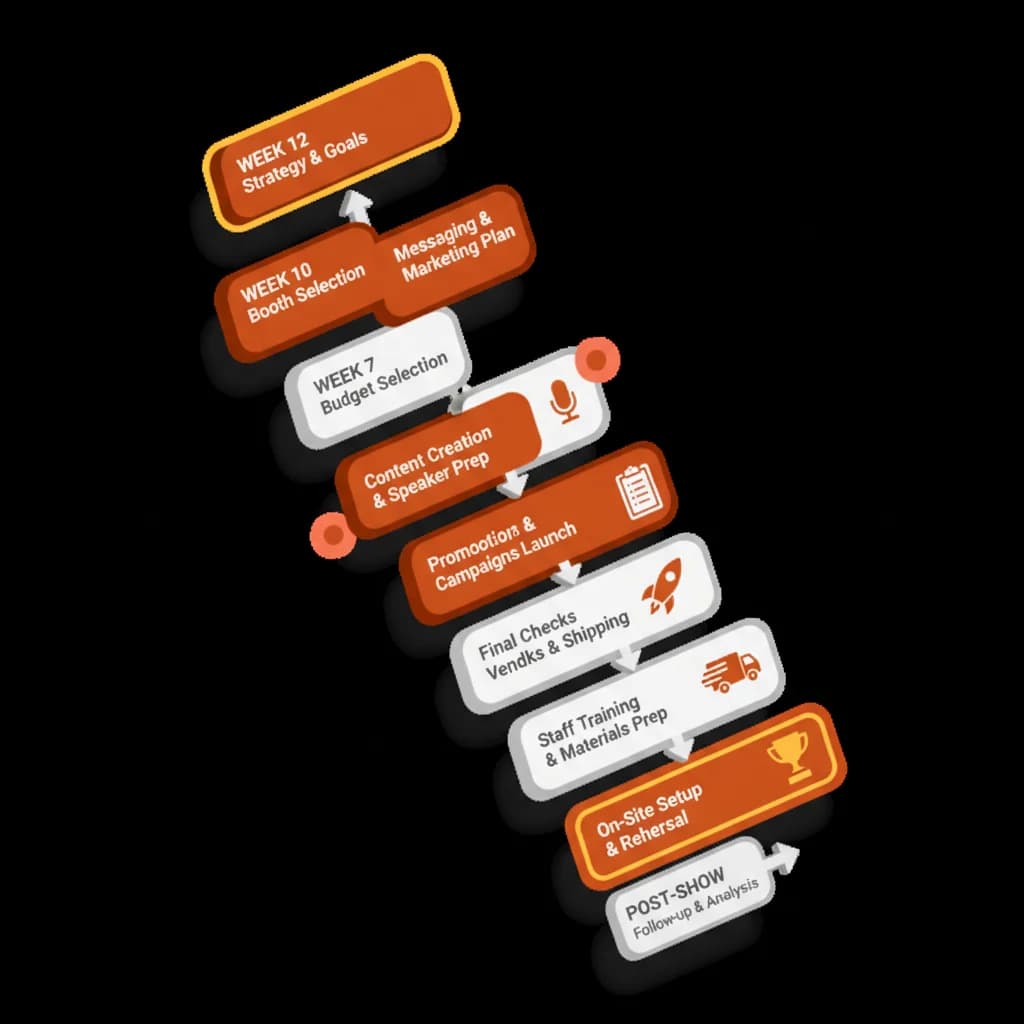
What does a 12-month trade show planning timeline actually look like?
Successful trade show execution is all about timing. Waiting until the last minute guarantees rushed decisions, missed deadlines, and inflated costs. According to event experts at Sock Club, major shows require a planning runway of at least 6-12 months. Breaking the process into phases makes it manageable.
The 12-6 month phase: Strategy, booth design, and major vendor selection
This is the big-picture phase. Your focus here is on laying the foundation for the entire event.
- Finalize Goals & Budget: Lock in the strategic goals and get financial approval.
- Select the Show & Booth Space: Research and commit to the event. Book your booth location—prime spots go fast.
- Kick Off Booth Design: Engage with an exhibit house to start the design process. Custom builds have long lead times.
- Select Key Vendors: Identify and contract with major vendors for things like A/V, internet, and furniture.
The 6-2 month phase: Pre-show marketing campaigns, logistics, and staff training
Now you shift from strategy to execution. The focus is on generating buzz and handling the mountain of logistical details.
- Launch Pre-Show Marketing: Start your email and social media campaigns. Begin booking meetings with key prospects and customers.
- Finalize Graphics & Swag: Approve all booth graphics and order your promotional items.
- Book Travel & Accommodations: Reserve flights and hotels for the entire team.
- Arrange Shipping & Drayage: Coordinate the logistics of getting your booth and materials to the convention center.
- Begin Staff Training: Start training the team on the messaging, products, and the lead capture technology you'll be using.
The final 60 days: Confirming shipments, scheduling meetings, and tech setup
This is the final sprint. It's all about confirmation, communication, and getting ready.
- Confirm Everything: Double-check all shipments, vendor orders, and travel arrangements.
- Ramp Up Meeting Scheduling: Push hard to fill your team's calendar with pre-booked meetings. These are your highest-value conversations.
- Pack & Ship: Pack your booth materials, marketing collateral, and lead capture devices. Ship everything so it arrives on time.
- Final Tech Check: Ensure your lead capture app is installed on all devices. Make sure your team is logged in and everyone knows how to use it—especially its offline capabilities. The last thing you want is for a tool to fail when the conference Wi-Fi inevitably dies.
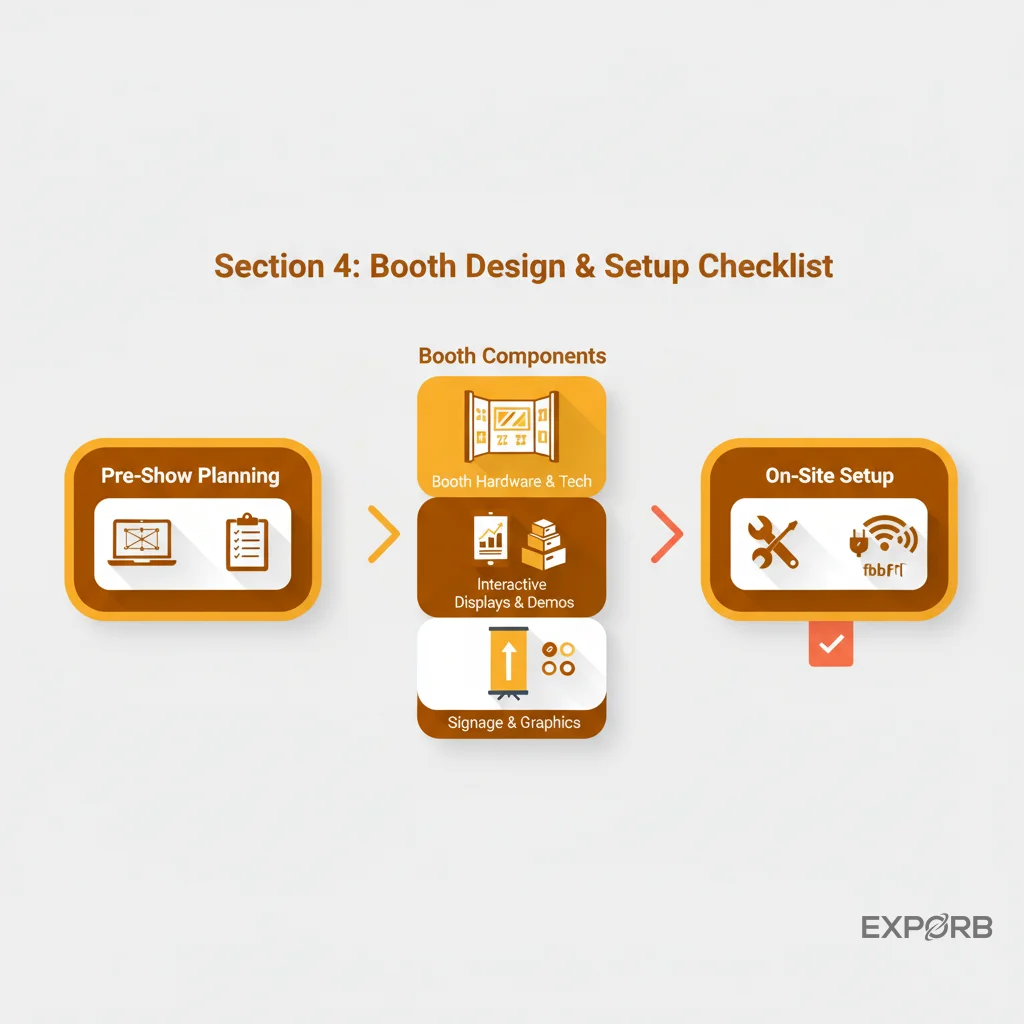
How can you create a booth experience that drives qualified conversations?
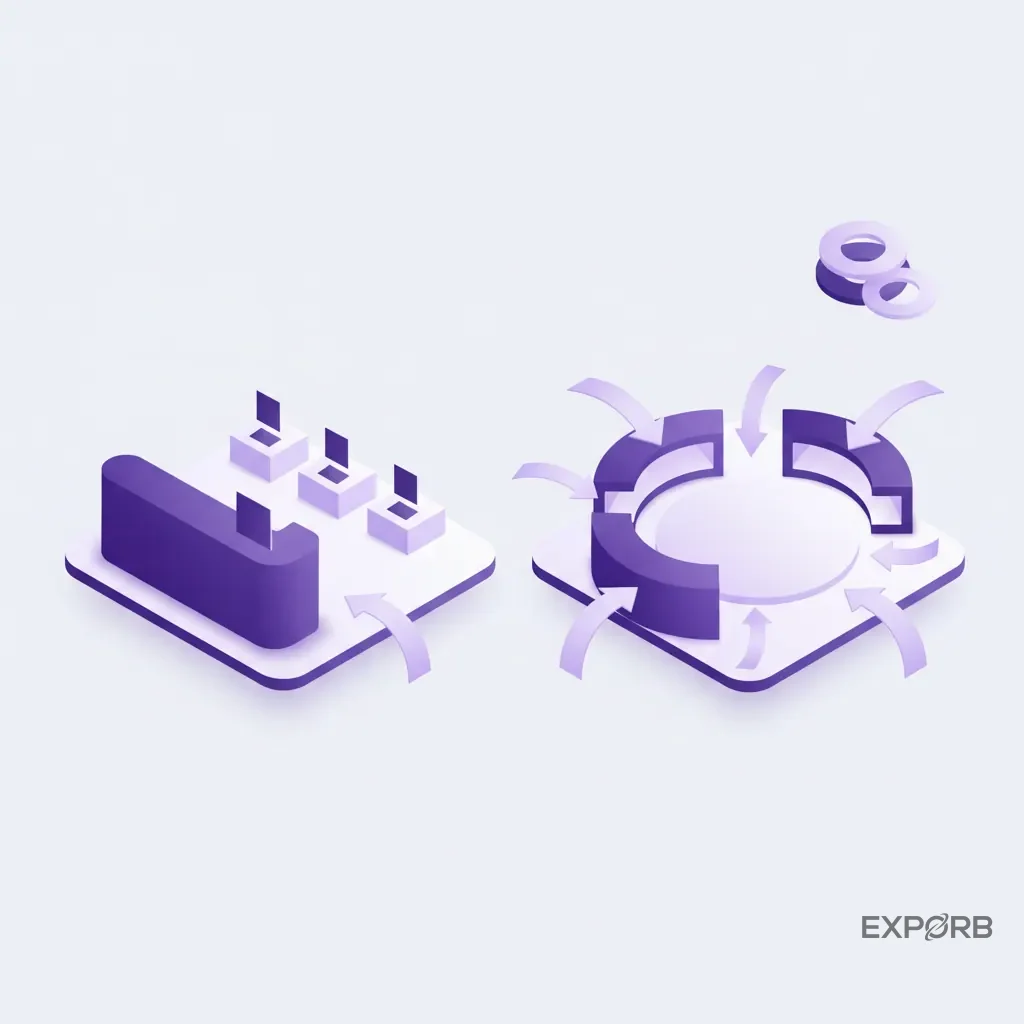
Your booth is a strategically designed environment to spark meaningful interactions with your ideal customers, not a museum. Too many exhibitors focus on aesthetics—making the booth look cool—while forgetting its primary function. A successful booth experience is about flow and engagement, creating an environment where your team can effectively connect with your ICP.
Challenging the myth: Why conversation quality trumps booth size
A bigger booth doesn't guarantee better results. A well-designed 10x10 space that helps great conversations will outperform a poorly planned 30x30 island every time. The goal is to maximize the number of qualified conversations, not just foot traffic.
Stop trying to attract everyone. Focus on designing an experience that pulls in your ICP and repels everyone else. A highly technical demo or a sign that says "Ask us about our API for enterprise security" will stop the right people. It lets the swag-seekers walk on by.
Designing for flow: Interactive demos vs. static displays
Think about how people will move through your space. Is there a giant reception desk blocking the entrance? That's a barrier. Are your demo stations buried in the back? People might not find them.
- Use Kiosks or Demo Pods: Small, approachable stations are better than one intimidating counter.
- Have an Active Demo: Instead of a looping video, have your team running live, interactive demos that can be tailored to the visitor's questions.
- Provide Seating: If you expect to have in-depth conversations, have a small, semi-private area with a table and chairs to get away from the noise of the aisle.
Integrating sustainable design and inclusive practices for 2026 events
Modern attendees and buyers care about more than just your product. They care about your company's values. Integrating sustainability and inclusivity into your booth design is good for the world, and it's good for business.
- Sustainability: Use recycled materials, rent booth components instead of building new, and opt for digital giveaways over physical swag that ends up in the trash.
- Inclusivity: Ensure your booth is physically accessible for attendees with disabilities. Use clear, high-contrast fonts on your graphics. Consider offering materials in multiple languages if it's an international show.
What should your pre-show and at-show marketing playbook include?
The most successful exhibitors know the event doesn't start when the trade show floor opens, but weeks or even months before. A proactive marketing plan turns a passive exhibiting experience into an active lead-generation campaign. You don't just show up and hope for the best. You create your own success.
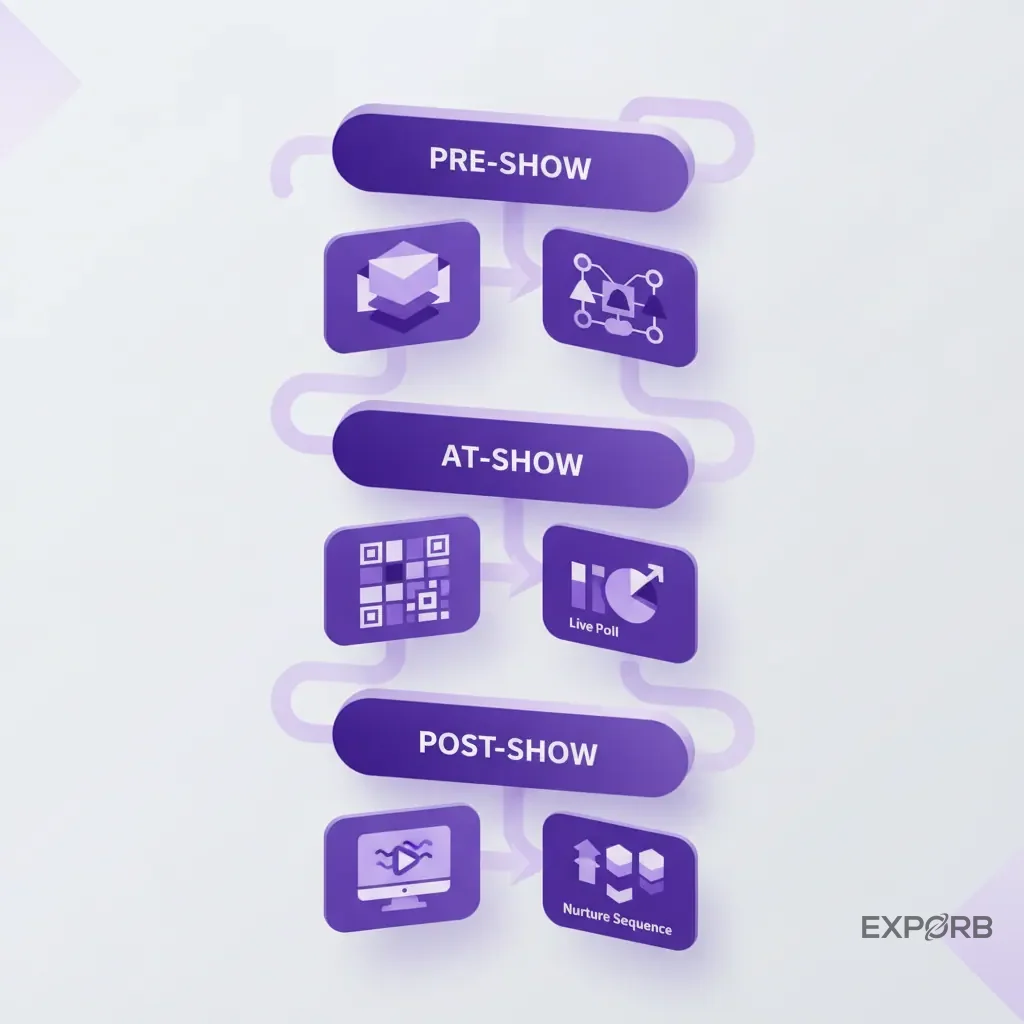
Building buzz: Using LinkedIn and email to book meetings in advance
The single most valuable activity you can do before a show is to pre-book meetings. A scheduled meeting is a guaranteed, high-quality conversation with a qualified prospect.
- Get the Attendee List: If you can get it, use it. Filter it for your ICP and start personalized outreach.
- Targeted Email Campaigns: Send a series of emails to your existing prospects and customers, letting them know you'll be at the show and inviting them to book a specific time for a demo.
- LinkedIn Campaign: Use Sales Navigator to identify contacts at your target accounts who are attending the show. Have your sales reps reach out personally to schedule a coffee or a quick meeting at the booth.
At-show engagement: QR codes for content hubs and live polls
Once you're at the show, your marketing should focus on engagement and easy information access.
- QR Codes are Your Friend: Don't hand out stacks of paper. Use a QR code that links to a mobile-friendly content hub with case studies, whitepapers, and demo videos. You can even use different QR codes to track interest in different topics.
- Live Polls & Giveaways: Use a screen in your booth to run a live poll related to an industry pain point. It's a great conversation starter. Offer a high-value giveaway (like a nice piece of tech, not a cheap pen) that requires a scan to enter—a great way to capture top-of-funnel contacts.
The 'always-on' approach: Extending the event with hybrid elements and post-show webinars
The conversation shouldn't end when the exhibit hall closes.
- Hybrid Elements: Live-stream a key demo from your booth for those who couldn't attend. Post regular updates, photos, and video clips to social media throughout the event.
- Post-Show Webinar: Host a "best of the show" webinar a week after the event. Summarize the key trends you observed and re-present your most popular demo. It's the perfect way to engage the leads you captured and give prospects a reason to connect.
How can you master lead capture and post-show follow-up for sales?
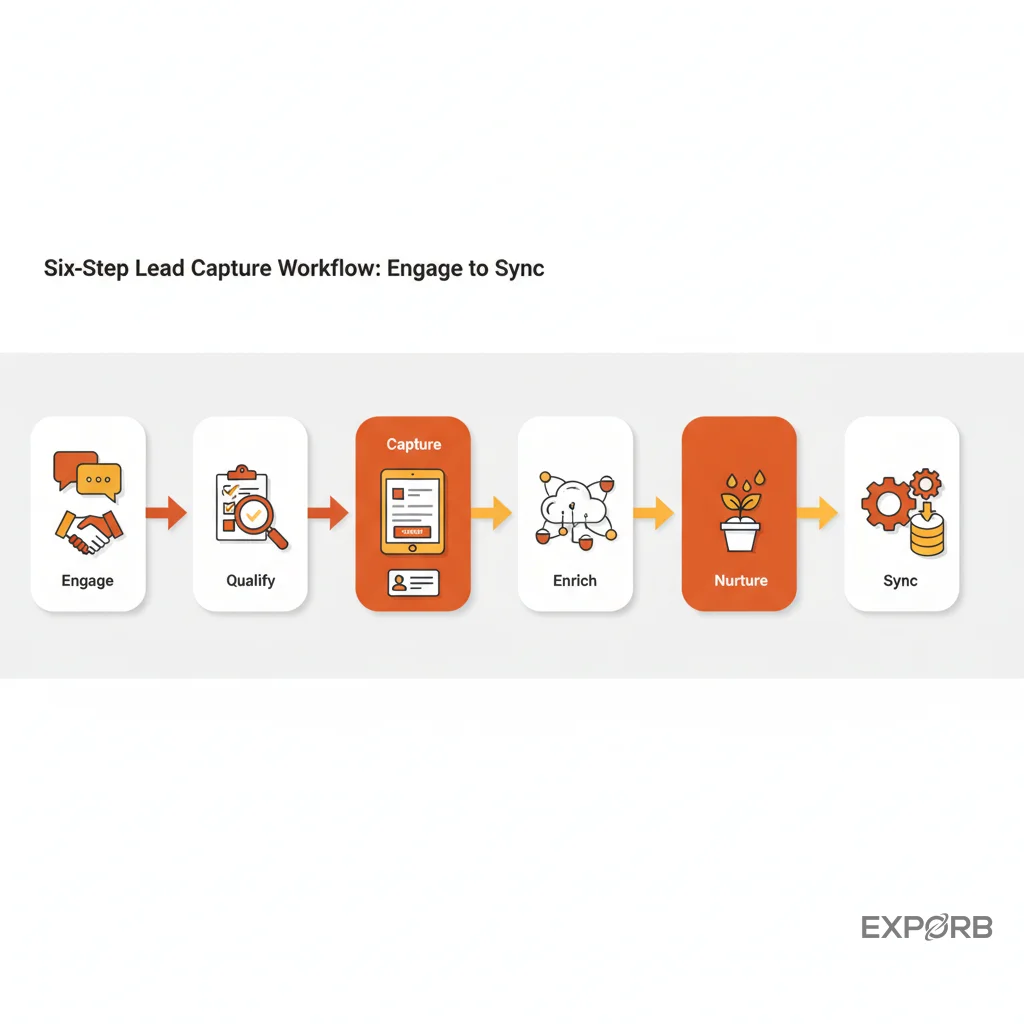
Capturing a lead at your booth is just the beginning; the true value lies in what happens next. Without a solid lead capture system and a well-defined post-show follow-up strategy, even the most engaging booth experience can result in lost opportunities and wasted investment. Your trade show planning template must include a detailed plan for converting those initial interactions into qualified pipeline.
Implementing a smooth lead capture system
Forget paper forms and business card piles. Modern trade show success hinges on efficient, data-rich lead capture.
- Dedicated Lead Capture App: Invest in a purpose-built app that allows for custom qualifying questions, note-taking, and photo attachments. We built Exporb to ensure it works offline, as Wi-Fi is notoriously unreliable at convention centers.
- CRM Integration: The ideal system syncs directly with your CRM, pushing lead data straight into your sales funnel, ready for immediate action.
- Tiered Qualification: Train your staff to use a simple, consistent qualification system (e.g., A, B, C leads) directly within the app, providing context for sales.
Crafting a rapid and personalized post-show follow-up strategy
The speed and relevance of your follow-up are critical. The longer you wait, the colder the lead becomes.
- Immediate Triggered Emails: Set up automated email sequences that trigger the moment a lead is captured. Personalize them based on their qualification tier or specific interests noted by your booth staff.
- Sales Handoff Protocol: Define clear roles and responsibilities for sales reps. Who owns which leads? What's the expected outreach timeline? Provide them with the detailed notes from the lead capture app.
- Content Nurturing Tracks: For leads not ready for immediate sales engagement, place them into targeted content nurturing tracks. These tracks continue to provide value and build trust over time.
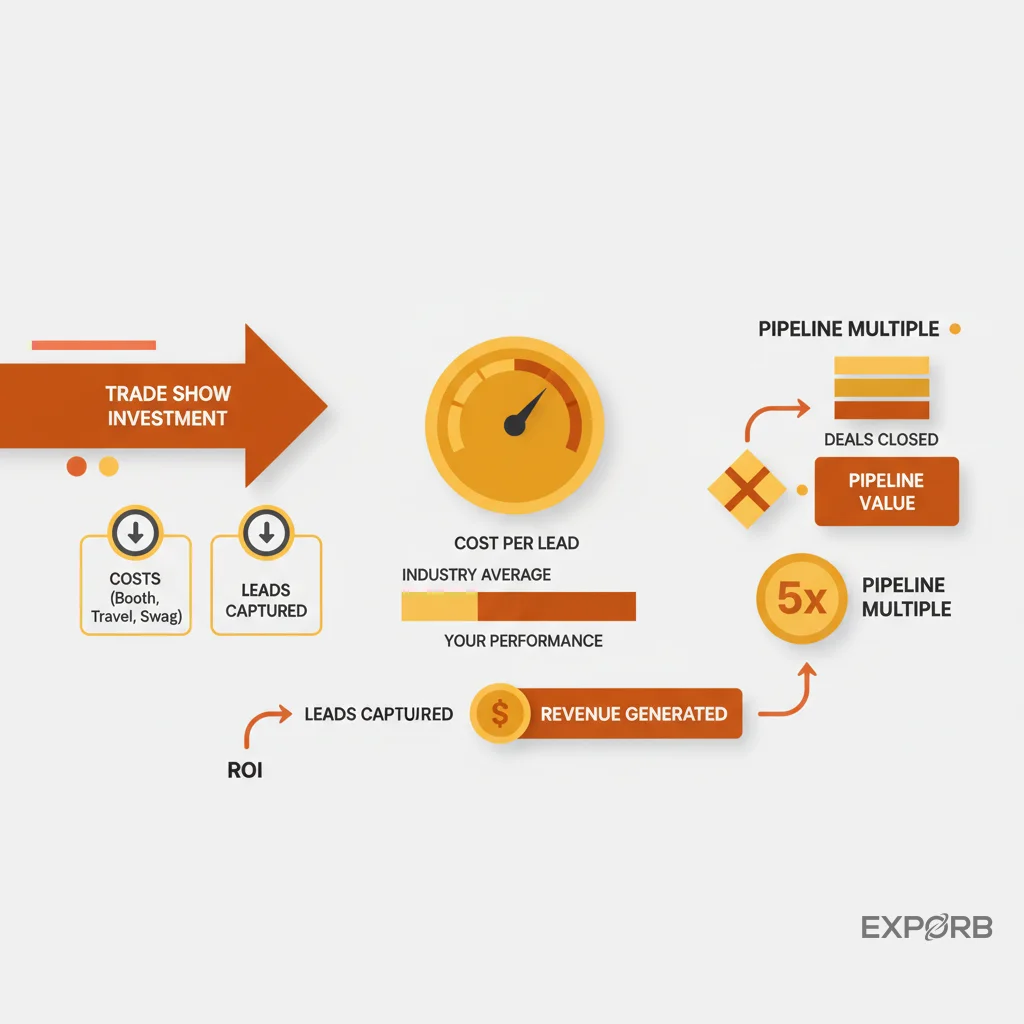
How do you measure your trade show ROI and prove its value?
The ultimate goal of your trade show planning template is to demonstrate a clear return on investment. Without rigorous measurement and analysis, your events will remain an unproven expense.